
 DE
DE COM
COM
Update on: 24 October 2024
Suitable for : Windows 11, Windows 10, 8.1, 7, ... , Server 2012-2025, 2022, x64, x32, x86
Suitable for : Windows 11, Windows 10, 8.1, 7, ... , Server 2012-2025, 2022, x64, x32, x86

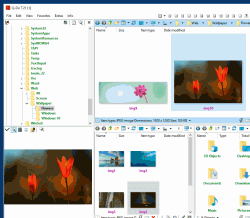
Q-Dir - The Quad Explorer - Program History
New in version 11.86 // 24 October 2024• Updated language files in Quad File Explorer for Windows
• Optimization and various fixes.on Windows 10 and 11
New in version 11.84 // 10 October 2024
• Buf-Fix: Quad File Explorer always in dark mode
• Buf-Fix: Wrong version number in the title bar
New in version 11.83 // 9 October 2024
• Bug fix: Blurry display at higher DPI values ??in some Windows configurations
• Optimization and various fixes under Windows 11
• Small fine-tuning and optimizations
New in version 11.82 // 27 September 2024
• Important fine-tuning and optimizations in the Q-Dir file explorer
• Improvements in usability and optimization of element focus
• Minor bugs in the Q-Dir file explorer eliminated
New in version 11.81 // 19 September 2024
• Update due to incorrect / faulty virus message under MS Windows 11 and 10
• Small fine-tuning and optimizations
New in version 11.79.1 // 18 September 2024
• Bug-Fix: Registerkarte kann nicht mit der Maus verschoben werden
---11.79---
• Corrections in Quad File Explorer Dark Mode
• Important tests in Q-Dir, the file explorer for the upcoming MS Windows OS
• Small fine-tuning and optimizations
• Please disable dark mode if you have problems, further improvements will follow.
New in version 11.78 // 13 September 2024
• Small corrections for MS Windows 11 and Windows Server 2025/2022
• Improvements in usability and elements Focus optimization
• Language files update in Quad Explorer for all Windows OS
New in version 11.77 // 4 September 2024
• Update due to false / incorrect virus message on MS Windows 11 and 10
• Updates to the language files in Quad File Explorer for Windows
• Small fine-tuning and optimizations
New in version 11.75 // 27 August 2024
• New function Menu > File > Tools > Photo-Print for Windows
• Optional passive auto update of Quad File Explorer for MS Windows
• General corrections and minor fine-tuning in Quad File Explorer
New in version 11.74 // 20 August 2024
• Improvements in the address bar and navigation area
• General fixes and minor fine-tuning in Quad File Explorer
New in version 11.73.1 // 12 August 2024
• Corrections in Q-Dir for older Windows such as Windows 7 and XP
• Small adjustments in Quad File Explorer for Windows
New in version 11.72.1 // 31 July 2024
• File Explorer fixes, minor tweaks and optimizations
• Language files updated in Quad File Explorer for Windows
New in version 11.71.9 // 25 July 2024
• New Code Sign Certificate for Q-Dir.exe
• Important tests and verification of the Quad-File-Explorer under MS Windows Server 2025
• Necessary adjustments made for the new operating system
• Updates to the language files in the Q-Dir App
New in version 11.71 // 10 July 2024
• Address bar optimizations to make navigation easier and improve usability.
• Better support for long path names and special characters.
• UI tuning and improvements for a more intuitive and appealing design.
New in version 11.69 // 1 July 2024
• Important update of the language files
• Update due to false / incorrect virus message on MS Windows 11 and 10
• Improved access to various media, SD cards and network folders
New in version 11.68 // 10 June 2024
• Important update of the Q-Dir language files
• General corrections and small fine-tuning
• Optimization and various fixes under Windows 11
New in version 11.67 // 6 June 2024
• Once again, some fixes have been made to optimize your List View experience on Windows 10 and 11.
• Minor tweaks and language files updated to ensure Quad File Explorer runs smoothly.
• Thanks for your continued support!
New in version 11.65 // 24 May 2024
• Corrections when working with administrator rights for file and folder access
• Update of the language files in Q-Dir
New in version 11.64 // 11 May 2024
• Once again, various fixes and adjustments have been made to Windows 10 and 11.
• Additionally, the language files in the quad file explorer Q-Dir have been updated to ensure an optimal user experience.
New in version 11.63 // 1 May 2024
• This version fixes a bug where the auto-update had to be started multiple times before it worked correctly.
• Further improvements and optimizations have also been made to the address bar and directory structure.
New in version 11.62.1 // 26 April 2024
• Corrections in the address bar and the new toolbar have been made to ensure smooth navigation through directories.
• This version includes further improvements and optimizations in file management for Windows, including performance enhancements, bug fixes, and enhanced compatibility with various file formats.
• The language files of the Quad File Explorer Q-Dir have been updated to ensure an improved and more precise user experience in different languages.
New in version 11.61 // 23 April 2024
• The active tab (in File Explorer) is now easier to see in Windows 10 and 11, as it is marked with an orange overline like it used to be in Windows XP.
• Address bafr icons are now more visible at high DPI display settings.
• A new toolbar has been added to the address bar, which will replace others in future versions.
• Optionally, the matrix color design can be selected via the menu under Extras, Colors.
• Further improvements will be implemented in future versions. If you have any problems with the display improvements, please simply contact us.
New in version 11.55 // 18 April 2024
• With the new "Paste Special" feature, you can now quickly insert images and texts from the clipboard directly into the file explorer of Q-Dir as files, without any detours.
• We have also made general corrections and fine-tuning to improve the Quad File Explorer, as well as updated the language files.
New in version 11.51 // 30 March 2024
• 1. Bugfix: Meaningless Prompt While Deleting Prior to Confirmation in Quad File Explorer for Windows:
Implemented enhancements to address an issue where meaningless prompts were displayed prior to confirmation during deletion in the Quad File Explorer for Windows. This improvement ensures a smoother deletion process, enhancing the user experience.
• 2. General Optimization and Language File Update in Q-Dir:
Alongside general optimizations, language files in Q-Dir have been updated to ensure a consistent and user-friendly experience for all users. This update contributes to improving the adaptability and accessibility of the software.
New in version 11.49 // 26 March 2024
• Improvements and fine-tuning in the navigation area and address bars
• General fixes and small tweaks around Quad File Explorer
New in version 11.48 // 27 February 2024
• Improvements in the address bars and navigation area
• General fixes and small tweaks around Quad File Explorer
New in version 11.47 // 12 February 2024
• Important tests from Q-Dir for the next MS Windows 10 and 11 update
• Updates to language files in Quad File Explorer for Windows
New in version 11.46 // 13 January 2024
• Corrections in the file explorer, small tweaks and optimizations
• Update of language files
New in version 11.45 // 29 December 2023
• Small corrections and bug fixes in install for older Windows versions
• Update of the language files in the quad file explorer Q-Dir
• Various corrections and adjustments
New in version 11.44 // 30 October 2023
• Again various corrections and adjustments under Windows 10 and 11
• Update of the language files in the quad file explorer Q-Dir
New in version 11.43 // 21 October 2023
• Various bug fixes in corrections and updating of the language files in the quad file explorer
New in version 11.42 // 20 October 2023
• Again corrections in the list view on Windows 10 and 11
• Small tweaks and update of language files in Quad File Explorer
New in version 11.41 // 12 October 2023
• Bug fix in the new function: When deleting in the background process (Shift key without trash)
• Small tweaks and optimizations Quad File Explorer for Windows
New in version 11.39 // 11 October 2023
• Improvements in: Copy, cut & paste can be started in separate background processes.
• New: deletion is also started in a background process
• In case of problems: via menu, extras, file operations always in new process, deactivate deletion
New in version 11.38 // 6 October 2023
• Important adjustments in Q-Dir for current MS Windows NT operating systems
• Small tweaks and optimizations Quad File Explorer for Windows
New in version 11.37 // 29 September 2023
• Small fixes for drag and drop copy, move, ... actions
• General improvements and updates to the Q-Dir language files
New in version 11.36 // 22 September 2023
• Further improvements in usability and focus optimization elements
• Updated language files in Quad Explorer
New in version 11.35 // 12 September 2023
• Various corrections in the individual file explorer list view
• Important language file update
• Adjustments and improvements to the Quad Explorer on Windows 11
New in version 11.34 // 5 September 2023
• General fixes and small tweaks
• Optimization and various fixes.on Windows 11
• Update of the Q-Dir language files
New in version 11.33 // 28 August 2023
• Language files update in Quad Explorer for all Windows OS
• Small fixes for Microsoft Windows 11 and Windows 10
New in version 11.32 // 8 August 2023
• Various bug fixes in the menus and improvements in Q-Dir
• General improvements in the navigation area and address bars
New in version 11.31 // 29 July 2023
• New Code Sign Certificate for Q-Dir.exe
• Important tests of Q-Dir for the next MS Windows 11 update
• Language file updates
New in version 11.29 // 12 June 2023
• Small tests and adjustments for the new MS Windows 11 update
• Updated language files in Quad File Explorer for all Windows operating systems
New in version 11.26 // 24 April 2023
• General optimization and language files update in Q-Dir
• Important adjustments and improvements of the Quad Explorer for MS Windows
New in version 11.24 // 5 April 2023
• General optimization and Quad Explorer language files update
• Small improvements in the file explorers and directory structure
New in version 11.21 // 20 March 2023
• Improvements and fine tuning in the address bars and navigation area
• Corrections when working with administrator rights for file and folder access
• Update of the language files in Q-Dir
New in version 11.19 // 14 February 2023
• Improvements in the main menu and in the file explorer list
• Fine-tuning in Quad Explorer and improvements as well as updating the language files
New in version 11.17 // 13 January 2023
• Important adjustments in Q-Dir Explorer for MS Windows operating systems
• Small corrections Update of the language files
New in version 11.16 // 20 December 2022
• Small corrections in the list view for older Microsoft Windows OS
• Corrections in the individual File Explorer directory structures
• Update of the language files
New in version 11.15 // 28 November 2022
• Again various corrections and adjustments under Windows 11
• Corrections in the single file explorer list view
• Update of the language files in the Quad Explorer Q-Dir
New in version 11.14 // 14 November 2022
• Improvements in the Explorer address bar for auto hotkeys
• Important update of the Q-Dir language files
• General fixes and small tweaks
New in version 11.13 // 11 October 2022
• Corrections in the address bar and toolbar in Windows 11 and small adjustments
• Small corrections and recompilation of Q-Dir, due to malfunctions
New in version 11.12 // 4 October 2022
• Bugfix for the symbols in menu items in Q-Dir
• Again adjustments the Windows 11 22H2 version
New in version 11.11 // 26 September 2022
• Verification and test of the Quad Explorer Q-Dir on Windows 11 22H2
• General corrections and small fine adjustments in the individual file explorers of Q-Dir
New in version 11.03 // 21 September 2022
• Corrections in menus supporting Asian, Arabic, Hebrew, ... fonts.
• General optimization and fine-tuning in Quad-Explorer for Windows
New in version 11.02 // 19 September 2022
• General optimization in Q-Dir for Windows 11
• Important adjustments and improvements in the file explorer views on all Windows operating systems
New in version 11.01 // 12 September 2022
• Major adjustments and improvements to Quad Explorer on Windows 11
• General optimization and Quad Explorer language files update
• New languages in Q-Dir: Persian
• Many thanks to Farshid Z for the Persian language.
New in version 10.99 // 29 August 2022
• Improvements in Explorer file lists and directory structure
• General optimization and Quad Explorer language files update
New in version 10.96 // 15 August 2022
• Small fixes for MS Windows 11
• Language files update in Quad Explorer for all Windows OS
New in version 10.95 // 19 July 2022
• Important adjustments in the Quad Explorer for older MS Windows NT operating systems
• Small corrections Update of the language files
New in version 10.91 // 5 July 2022
• Important adjustments in the Quad Explorer main menus and context menus
• Update of the language files in Quattro Explorer for MS Windows OS
New in version 10.88 // 24 June 2022
• Important adjustments in Q-Dir for older MS Windows NT operating systems
• Small corrections Update of the language files
New in version 10.86 // 13 June 2022
• Further improvements in usability and elements Focus optimization
• Updating of the language files in Quad Explorer
• Improvements in Dark Mode
New in version 10.83 // 6 June 2022
• General improvements in Dark Mode display on MS Windows OS
• Improvements in file actions between each file explorer
• Updating the language files in Quad Explorer
New in version 10.81 // 1 June 2022
• Language file updates and general optimization in Q-Dir for Windows
• Important adjustments in the Quad Explorer for MS Windows 11
New in version 10.77 // 20 May 2022
• Bug-Fix: if file is encrypted, for example if selecting encrypted pdf files
• Tests on the next MS Windows 11 build
• Language file updates
New in version 10.76 // 16 May 2022
• Improvements in the address bar for auto hotkeys
• General improvements in settings and appearance
• Updating the language files in Quad Explorer
New in version 10.74 // 11 May 2022
• Various bug fixes in the menus and improvements in Q-Dir
• General improvements in the address bars and navigation area
New in version 10.73.1 // 9 May 2022
10.73.1
• Bug fix: in the quick links menu
10.73
• Improvements in dark themes/dark modes on MS Windows 11
• Update of the language files in Q-Dir
• General optimization in Quad Explorer
New in version 10.71 // 3 May 2022
• New: Different folders can be excluded or displayed in the directory structure
• Dark theme/mode support in Quad Explorer for MS Windows 11 and 10 operating systems
• Language files update in Q-Dir for all MS Windows OS
New in version 10.69 // 25 April 2022
• Improvements in the main menu and in the Explorer file lists for all MS Windows OS
• Fine-tuning in Quad Explorer for the next MS Windows 11 update!!
• I'm always open to suggestions for improvement
New in version 10.67 // 20 April 2022
• Again adjustments when accessing smartphones e.g. Samsung with Android 11 via USB cable
• Language files update in Quattro Explorer for MS Windows OS
New in version 10.66 // 4 April 2022
• Corrections again in the list view on Win 11
• Important update of the language files in the OK Quattro Explorer for all MS Windows OS
New in version 10.65 // 24 March 2022
• Small adjustments in the list view of the individual explorers
• General fine-tuning and general optimization.
• Important update of the language files
New in version 10.63 // 7 March 2022
• Important adjustments in Quad-Explorer for Windows 11 and 10
• General optimization in Q-Dir for Windows
New in version 10.61 // 24 February 2022
• Corrections when using administrator rights for file and folder access
• Drag & Drop improvements in the same file explorer
• Update of the language files in Quad Explorer
New in version 10.59 // 15 February 2022
• Improvements in the Explorer address bars
• Optimization and various fixes for all MS Windows OS
• Important update of the language files in Quad Explorer
New in version 10.56 // 24 January 2022
• Corrections in the classic design under Windows 7, XP, 98
• Small fine-tuning under Windows 11 and MS Windows 10
• Update of the language files
New in version 10.53 // 6 January 2022
• Corrections in the File Explorer context menu
• Small fine-tuning and optimization
• Update of the language files
New in version 10.51 // 30 December 2021
• Corrections and small fine-tuning in Q-Dir
• Important update of the Q-Dir language files for MS Windows OS
• Improvements for Windows 11 and 10
New in version 10.45 // 17 December 2021
• Bugfix: when executing the commands via the file explorer context menu
• Important update of the Q-Dir language files
• General corrections and small fine-tuning
New in version 10.44 // 14 December 2021
• Improvements in: Explorer file preview
• Update of the Q-Dir language files
• General fixes for Win 11 and small tweaks
New in version 10.41 // 8 December 2021
• Further improvements in the display when the DPI settings are changed
• General corrections and small fine-tuning
• Update of the Q-Dir language files
New in version 10.4 // 30 November 2021
• Bugfix: context menu in the file explorer window
• General corrections in the main menu of the program
• Update of the Quad-Explorer language files
New in version 10.3 // 27 November 2021
• Improvements in turning off auto-sorting when renaming or copying items
• Bug-Fix: Stabilization of the rare crashes when copying files and folders
• Corrections to the automatic update of the File Explorer Windows
• Update of the language files
New in version 10.1 // 23 November 2021
• Again improvements for high screen scaling and DPI settings
• Small bug fixes in contrast designs in Windows 11 and 10
• Update of the language files
• Further improvements and extensions follow in the versions 10.XX
New in version 9.99 // 15 November 2021
• Bugfix: Windows 11 with 4K screen and high screen scaling or DPI settings
• Small fine-tuning and optimizations
• Update of the language files
New in version 9.98 // 9 November 2021
• Small update and fine-tuning in Q-Dir
• Some fixes and optimizations
• Update of the language files.
New in version 9.97 // 2 November 2021
• Corrections in the File Explorer view and the print function
• General improvements in the Quad-Explore Q-Dir
• Update the language files
New in version 9.96 // 26 October 2021
• Small corrections in the File Explorer address bars
• Important update of the language files
• Other small improvements for Windows 11 and 10
New in version 9.95 // 20 October 2021
• Further improvements: for smartphones, iPhones, ... connections via USB cable
• Fine-tuning in Quad Explorer on Windows 11 and 10
• Important update of the language files
New in version 9.94.1 // 15 October 2021
9.94.1
• Bug fix: Smartphones e.g. Samsung with Android 11 via USB cable preview is not displayed
9.94
• Again adjustments Windows 7 x64 and XP 2005 x64 / 64-bit version
• Improvements in Q-Dir for Windows 11
New in version 9.93 // 9 October 2021
• Bug-Fix: Crash under Windows 7 and XP in the 32-bit version of Quad Explorer
• Small optimizations in Q-Dir for Win 11
New in version 9.92 // 6 October 2021
• Important adjustments for MS Windows 11 OS
• Small optimizations for Windows 10 in the Quad Explorer Q-Dir
New in version 9.91 // 21 September 2021
• Important improvements and optimizations for MS Windows 11 OS
• Small tweaks and other general improvements as well as some fixes.
New in version 9.89 // 9 September 2021
• Update due to incorrect / false virus message on MS Windows 11 and 10
• Important update of the language files
• Improved access to various SD cards, media and network
New in version 9.88 // 6 September 2021
• Adjustments for the Windows 10 update and Windows 11
• Various corrections in the individual File Explorer list view
• Update of the language files in the Quad Explorer Q-Dir
New in version 9.84 // 17 August 2021
• Update of the language files
• Again various corrections and adjustments under Windows 11
• Please always use the latest Windows 11 OS version
New in version 9.81 // 30 July 2021
• Bug fixes under Windows 11
• Various corrections and adjustments, as well as further tests under Windows 11
• Update of the language files
New in version 9.79 // 20 July 2021
• Update due to false virus report on MS Windows 11 OS
• Only for security reasons, although there was no virus.
• Language files update and general optimization in Quad Explorer
New in version 9.78 // 11 July 2021
• Adjustments for MS Windows 11 OS
• Please wait Windows 11 itself has a number of BUGs and is currently not approved by MS, but only for testing
New in version 9.77 // 10 July 2021
• Bug-Fix: in the list view with Focus under Windows 11 (it is a W11 system bug)
• Verification of the Quad Explorer on MS Windows 11 OS
• Small adjustments for Windows 11
• Update of the language files in Q-Dir
New in version 9.61 // 24 June 2021
• New Code-Sign certificate for Q-Dir.exe
• Improvement: Use the directory tree in the Explorer address bar!
• Improvements: When working with MS OneDrive and other cloud storage
• Small fine-tuning in the Quad Explorer
• Update of the language files
New in version 9.55 // 11 June 2021
• New: Restore the last closed tabs by right-clicking on the tab bar.
• General improvements, small corrections. Update of the language files
New in version 9.51 // 1 June 2021
• Improvements in the Explorer address bars
• Update of the language files
• Corrections in the directory structure of Q-Dir.
New in version 9.49 // 19 May 2021
• Correct when updating and connecting and disconnecting the network drives.
• Important update of the language files
• Various improvements in Quad Explorer for all MS Windows 10
New in version 9.44 // 10 May 2021
• Small corrections and adjustments for the new MS Windows 10 update
• Update of the language files in Quad Explorer for Windows OS
New in version 9.41 // 23 April 2021
• Bug-Fix: when connecting and disconnecting network drives.
• Important update of the language files
• Update due to false virus report on W10
New in version 9.39 // 15 April 2021
• Fine-tuning in Quad-Explorer for the new MS Windows 10 update!
• Some correction in the Explorer list views and various improvements.
• Update of the language files in Q-Dir.
New in version 9.33 // 31 March 2021
• Tests and adjustments for the next MS Windows 10 update
• Updates to the language files and fine-tuning in Quad Explorer
New in version 9.31 // 19 March 2021
• Small corrections for MS Windows Server 2019, 2016, ...
• Language files update in Quad Explorer
• General optimization in Q-Dir for Windows
New in version 9.27 // 11 March 2021
• Another improvement in the main menu: Edit and View menu
• Small corrections under MS W10 x64 Home and Pro
• Language files update and general optimization in Quad-Eyolorer for Windows
New in version 9.23 // 4 March 2021
• Update due to false virus report on MS Windows 10 OS
• Only for security reasons, although there was no virus.
• Language files update and general optimization
New in version 9.21 // 26 February 2021
• Main menu improvements: Edit and View menu
• The commands are processed better by the respective active Explorer
• Improvements in the copy, paste, ... commands between Q-Dir and Microsoft File Explorer
• Small corrections in Qauad Explorer for MS Windows
New in version 9.18 // 21 February 2021
• For security reasons: update to Windows 10 due to false virus reports
• Bug fix: in the main menu when setting the focus
• Update of the language files and general optimization
New in version 9.17 // 17 February 2021
• Improvement in access to various storage media and network
• Improvement when saving the column settings or view settings
• Update of the language files in Q-Dir
New in version 9.15 // 9 February 2021
• New: Mouse wheel with Shift = horizontal scrolling
• Improvements in the address bars and navigation area
• Optimization and various fixes.
• Important update of the language files in Quad Explorer
New in version 9.12 // 1 February 2021
• Bug-Fix: Request dialog to get administrator rights for access to a folder
• Update of the language files
• Small corrections in the Quad Explorer Q-Dir
New in version 9.11 // 18 January 2021
• Bug-Fix: When opening more than 16 tabs per file explorer
• Update of the language files
• Small corrections in Q-Dir
New in version 9.09 // 8 January 2021
• Various corrections and general improvements in Q-Dir
• Update of the Quad Explorer language files
New in version 9.08.1 // 31 December 2020
• Bug-Fix: when using multiline tabs
--9.08--
• Small corrections when loading * .qdr files, the Quad Explorer favorites ergo settings
• General improvements and fixes
• Update of the Q-Dir language files
New in version 9.07 // 23 December 2020
• Small improvements in the MS Shell folder menus
• Small fixes for drag and drop copying, moving, ... actions
• General improvements and update of the Q-Dir language files
New in version 9.05 // 17 December 2020
• Small corrections under Windows 10 x64 Home and Pro
• General improvements in Q-Dir
• Update of the Quad-Explorer language files
New in version 9.04 // 9 December 2020
• Bug fix: on Windows 7 and Windows XP
• Improvements in Quad Explorer
• Update of the language files
New in version 9.03 // 30 November 2020
• General improvements and corrections in the views of the Q-Dir file explorer
• Update of the language files
New in version 9.01 // 26 November 2020
• Improvements: in Drag & Drop especially in Q-Dir inside of the same file explorer
• Bug fix: in the main menu
• Update of the language files
• More Features in future in 9.xx
New in version 8.99.9 // 19 November 2020
• Bug-Fix in Quad-Explorer Uninstall Feature
• Update of the Q-Dir language files
• New languages: Filipino, Malay and Indonesian
• Many thanks to A. Lincoln for the Filipino language.
• Many thanks to Indonesian Super Girl for the Indonesian language.
• Many thanks to Washington for the Malay language.
New in version 8.99.2 // 11 November 2020
• Again bug fix: when activating the multiline tab in the Explorer view for Windows
• Update of the language files
New in version 8.99.1 // 9 November 2020
• Bug-Fix: when activating the multiline tab in the Explorer view for Windows
• Update of the language files
New in version 8.99 // 6 November 2020
• Some Bug-Fixes in Quad Explorer and General improvements
• New: Multiline-Tab and 64 Tabs per Explorer View
• Update of the language files
New in version 8.98 // 29 October 2020
• Bug-Fix: in Quad Explorer Details-List-View
• General improvements for SMB, FTP and other network drives access
• Small fixes and Update of the language files
New in version 8.97 // 19 October 2020
• Optimization and various fixes.
• Small corrections in Quad Explorer for Windows
• Update of the language files in Q-Dir
New in version 8.96 // 12 October 2020
• Improvements in installing and uninstalling Quad Explorer
• Optimization and various fixes.
• Update of the language files
New in version 8.95 // 6 October 2020
• Improvements in the address bars and navigation area
• Corrections in the Explorer view print function
• General improvements in the Quad-Explore Q-Dir
• Update the language files
New in version 8.94 // 28 September 2020
• Small adjustments in the installation and deinstallation
• Further improvements in the Quad Explorer Q-Dir for Windows
• Important updates to the language files
New in version 8.93 // 21 September 2020
• Some improvements in the directory tree
• Improvements in the Explorer address bars
• General optimization in the Quad Explorer Q-Dir
• Update of the language files
New in version 8.91 // 15 September 2020
• Bug-Fix: in Windows Favorites folder when Drag and Drop
• Improvements in: Execute Explorer commands from the Explorer address bar
• Update of the language files in Q-Dir
New in version 8.88 // 7 September 2020
• Update due to false virus report on W10
• Only for security reasons, although there was no virus.
New in version 8.81 // 1 September 2020
• Improvements in: display at higher DPI values on Windows 10
• Improvements in: Print what you see in the file explorer views
• Improvements in: Animated GIF support in the preview window
• Update of the language files in Q-Dir
New in version 8.77 // 25 August 2020
• General optimization for all Windows 10 OS and MS Server 2019
• Important update of the language files
• Bug-Fix: in Quad Explorer File List View
New in version 8.71 // 14 August 2020
• General optimization and important update of the language files
• Small fixes and rebuilding / compiling of Q-Dir due to positive false virus alert on Windows 10, even though no virus was present.
New in version 8.69 // 6 August 2020
• General fine-tuning and general optimization.
• Important update of the language files
• Small corrections in the list view of the individual Explorer
New in version 8.66 // 26 July 2020
• Bug-Fix: in the optional auto update service via https (ssl)
• Important update of the language files
New in version 8.61 // 20 July 2020
• Small bug fix: Auto-Start in the Quad-Explorer Installation
• General improvements in Q-Dir for Windows 10 and MS Server
• Update of the language files
New in version 8.55 // 10 July 2020
• New: Influence / Change the Autoupdate server
• Improvement: Quad-Explorer new and old Windows Navigation Area, Tree-View!
• Important update of the language files
New in version 8.51 // 1 July 2020
• Improvement in:
• Disconnect or Connect the network drive
• If Program opens a file in the Explorer Views
• Small fixes and Update of the language files
New in version 8.44 // 19 June 2020
• Improvement in: Marking / Select files in the File Explorer view
• Improvement in: Use the directory tree in the Explorer address bar!
• Important update of the language files
New in version 8.41 // 10 June 2020
• Improvement in: Various address bar rules for path entries and Address-Directory-Tree
• Improvement in: Last open Favorite and Explorer Title Bar
• Prepare for further expansions in Quad Explorer
• Important update of the language files
New in version 8.37 // 4 June 2020
• Bugfix: If detect the default system language for multi-language support
• General improvements in Q-Dir
• Important update of the language files
• Many thanks to the translators for the 34 languages in Q-Dir
New in version 8.34 // 1 June 2020
• Very important corrections in Quad Explorer for Windows
• Small fixes and retests on Windows 10 May Update
New in version 8.33 // 27 May 2020
• Small bug fix: in the installation and deinstallation routine.
• General improvements in Q-Dir
• Update of the language files
New in version 8.25 // 18 May 2020
• Corrections to parameters: -install /silent
• Improvements in the individual directory structures
• Important update of the language files
New in version 8.18 // 10 May 2020
• Small fixes and updating the language files in Q-Dir.
• Improvement in Address-Bar of Quad-Explorer both types classic and new
New in version 8.15 // 29 April 2020
• Improvements: when working with MS OneDrive and other cloud storage
• Small fine-tuning when accessing SMB, FTP and other network drives.
• Update of the language files
New in version 8.11 // 23 April 2020
• Improvement in: Show folder total playing time for media in an Explorer column
• Again improvements in: folder grouping and last setting
• Important update of the language files and general optimization
New in version 8.09 // 18 April 2020
• New: The administrator is displayed in the title bar when Q-Dir is started in administration mode
• Improvements when copying / pasting actions in Explorer views
• Update of the language files
New in version 8.08 // 16 April 2020
• General improvements when browse SMB, FTP, ... drives in the Quad Explorer
• Some fixes in the actions from the MS File Explorer to Q-Dir
• Update of the language files
New in version 8.06 // 6 April 2020
• Correct when updating, connecting and disconnecting network drives.
• Important update of the language files
• Tests under April / 2020 build Windows-10
New in version 8.04 // 25 March 2020
• Bug-Fix and Improvements: in optional autoupdate service
• Updating the language files and general optimization
New in version 8.03 // 24 March 2020
• General improvements plus update of the Q-Dir language files
• Small fixes and retests for 2020 April Build of Windows-10
New in version 8.01 // 27 January 2020
• General fine-tuning and general optimization.
• Update of the language files
• Q-Dir adjustments for the next Win 10 build
***
New in version 7.99 // 18 December 2019
• Improvements in: Printing what you see in the File Explorer views
• Improvements in: Display at higher DPI values on Windows 10
• Update of the language files in Q-Dir
New in version 7.98 // 9 December 2019
• Improvements: Background color and selection in Explorer and Tree-View
• Language Files Update in Q-Dir
• Improvements on the Windows-10 1909
New in version 7.97 // 2 December 2019
• Improvements: when starting Q-Dir
• Improvements: when using 120%, ... font in the File Explorer
• Important fine-tuning when accessing SMB, FTP, ... drives in the Quad Explorer
New in version 7.96 // 25 November 2019
• Improvements: Drag and Drop from other programs as well as file managers
• General fine-tuning and general optimization.
• Language Files Update in Q-Dir
New in version 7.95 // 19 November 2019
• New adjustments and improvements for the Windows 10 Update November 2019 Version 1909
• Important update of the language files and general optimization
New in version 7.94 // 8 November 2019
• Improvements in: Explorer file preview
• Bug fix: Crash when opening favorites and refresh with F5
• Important update of the language files in the Quad Explorer
New in version 7.93 // 4 November 2019
• Various speed optimizations, such as when starting Q-Dir.
• Better processing for relative path information
• Important update of the language files in the Quad Explorer
New in version 7.92 // 30 October 2019
• Adjustments due to Windows XP
• Testing and Verifying for Windows 10 November 2019 Update Build 18362
• Important update of the language files in the Quad Explorer
New in version 7.91 // 25 October 2019
• Bug-Fix: Crash under XP and some W10 OS with the Quad Explorer start
• Improvements in: Classic and modern address bar for Windows 10, 8.1, ...
• Updating the language files and general optimization
New in version 7.89 // 19 October 2019
• New: Save Custom column set plus file explorer view setting, in example the media columns
• Bug-Fix: Color Filter Settings for file higlighting
• Improvements in: folder total time in an explorer column
• Small Fixes and prepare for future improvements
• Update the language files thanks to maboroshin from Japan
New in version 7.88 // 14 October 2019
• New: Show folder total playing time for media in an explorer column
• Bug-Fix: Flat designin and 3D bars on Windows 10
• Bug-Fix: Context menu tools customization drag and drop
• Bug-Fix: Explorer Tree View and Bold-Font
New in version 7.85 // 30 September 2019
• Improvement: Fuzzy display with higher DPI
• Improvement: *.qdr file for a custom start of the quad file explorer
• Updating the language files and general optimization
New in version 7.84 // 25 September 2019
• Improvement: with marked file and copy full folder paths
• Correction: Blurred display at higher DPI 125, 150 values under Windows 10, ..!
• Updating the language files and general optimization
New in version 7.83 // 20 September 2019
• New: Parameter /select as in the MS-Explorer to mark files
• Improvements: in optional autoupdate service
• Updating the language files and general optimization
New in version 7.82 // 14 September 2019
• Improvements in: the tabs of the Explorer views
• Bug-Fix: in the main menu when setting focus
New in version 7.81 // 11 September 2019
• Bug Fix: Clone from Explorer View to View in Quad Explorer
• Important update of language files and general optimization
New in version 7.79 // 10 September 2019
• Easier: grant access for folder protection under Windows 10!
• Improvements in: Folder Grouping and Last Setting
• Improvements in the quad explorer file preview
• Important update of the language files and general optimization
New in version 7.78 // 2 September 2019
• Bug-Fix and improvements in: Forward and back-navigation and keep selection
• Improvements in: Start with last setting, no lost the File-Explorer setting
• Improvements in: keep folder grouping or disable it
New in version 7.77 // 1 September 2019
• Bug-Fix: in the file lists print and set up the page margins
• Program Stability Tests and Improvements in Quad Explorer
• Updating the language files
New in version 7.76 // 26 August 2019
• Bug fix: TortoiseSVN overlay icons and others are supported / displayed again in the Quad Explorer
• Again small adjustments in Q-Dir for the next Windows 10 build
• Update the language files
New in version 7.75 // 21 August 2019
• Improvements in: Quad Explorer multiple settings on all Windows OS
• Update of the language files
• Generals optimization and general improvements for the next Windows 10 Build
New in version 7.74 // 13 August 2019
• Corrections in installation and uninstall routine.
• Bug fix: Faulty error message at the end of the program or when Q-Dir is closed
• Update the language files
New in version 7.73 // 5 August 2019
• Improvements in the Grouping possibilities in Q-Dir the Quad-Explorer!
• New language in Q-Dir: Bulgarian
***
• Many thanks to Stanley Dmitrov / Стефан Димитров for the Bulgarian language.
New in version 7.72 // 1 August 2019
• Bug fix: in the main menu and Quick-Link's
• Small improvements
• Update the language files
New in version 7.71 // 31 July 2019
• Bug-Fix: if clone all File-Explorer Views on Windows 10
• Improvements in: Animated GIF support in the preview window!
• Update of the language files
New in version 7.69 // 26 July 2019
• Bug-Fix: Jump to a certain point in the Explorer history!
• Improvements in: Classic and modern address bar for Windows 10, 8.1, ...
• Update of the language files
New in version 7.68 // 19 July 2019
• Bug-Fix: When closing the Quad Explorer, Q-Dir disappears unnecessarily in the To-Tray area!
• And again, update the language files
• Small adjustments in the Quad Explorer installation
New in version 7.67 // 14 July 2019
• Bug-Fix: move across the menus (File, Edit, View, etc...) with the keyboard arrows
• Update of the language files
New in version 7.66 // 10 July 2019
• Again improvements in list views in the Quad Explorer for Windows.
• Update the language files
New in version 7.65 // 1 July 2019
• Correction in address bar treeview
• Some improvements in the Quad Explorer list views.
• Complete Deactivation of Grouping. > Extras > List View> Deactivate
• Update of the language files
New in version 7.64 // 26 June 2019
• Bug fix: Windows 7, Windows XP, Windows Server 2000, ... Crash at start x32 version
• Some improvements for Windows 10 in Quad Explorer.
• Update the language files
New in version 7.63 // 25 June 2019
• Bug-Fix: in separate tree view for each explorer list view
• Updating of the language files and general optimization in Quad Explorer.
New in version 7.61 // 24 June 2019
• Bug-Fix: in Tree-View adjustable xx seconds expand hover time under Windows 10
• Important improvements and optimizations for Windows 10 in Quad Explorer.
• Updating the language files
New in version 7.58 // 13 June 2019
• New: Animated gif support in preview window
• Bug-Fix: in Optional autoupdate service via https (ssl)
• Small tuning and general optimization in Quad Explorer.
• Language file update in Q-Dir
New in version 7.57 // 5 June 2019
• Bug-Fix in the Q-Dir installation
• Small adjustments and improvements,
• Update of language files
• New language in Q-Dir: Swedish
• Thanks to Tryggve Karlsson for the Swedish language.
New in version 7.55 // 26 May 2019
• Bug: Code Signing certificate and update of the language files Q-Dir
• Q-Dir is currently without this certificate because it only causes problems
• Shi... : Code Signing Zertifikat // Unnecessary stuff
New in version 7.53 // 14 May 2019
• Small tuning and other general improvements and some fixes.
• Important improvements and optimizations for Windows 10
New in version 7.52 // 6 May 2019
• Important updates of the language files in the Quad Explorer
• Small corrections in Q-Dir as well as improvements
New in version 7.51 // 19 April 2019
• Generals optimization and general improvements as well as updating the language files in Q-Dir
New in version 7.47 // 11 March 2019
• Important: Bug fix in the x64 version due to false compiler setting
• Small corrections and recompilation of Q-dir, due to malfunctions
• Updating the language files
New in version 7.46 // 3 March 2019
• Generals fine-tuning and general optimization.
• Updating the language files
• Q-dir program size optimization at the x64 exe
New in version 7.45 // 22 February 2019
• Small correction when starting Q-Dir as a portable application in network paths
• Generals fine-tuning and general optimization.
New in version 7.44 // 17 February 2019
• And again corrections for the current Windows 10 build plus improvements
• General adjustments and updating of language files
New in version 7.43 // 5 February 2019
• Some fixes and improvements in the alternative File Manager.
• Updating the language files in Q-dir and general adjustments.
New in version 7.41 // 21 January 2019
• New: Optional autoupdate service via https (ssl) for Portable and non Portable Version
• New: Optional, automatic notification when new version is available
• Small tuning and general optimization in Q-Dir.
• Updating of the language files in Q-Dir.
• Autoupdate service in Q-Dir is deactivatable e.g. for install in the company network.
Q-Dir.ini
• [Q-Dir]
• enable_auto_update=0
New in version 7.37 // 13 January 2019
• Bug-Fix: Batch files in favorites can no longer launch since last version
• General adjustments and updating the language files in Q-dir.
New in version 7.36 // 12 January 2019
• Bug-Fix: When opening directories by program arguments
• Bug fix: In Q-Dir print on some printers with high DPI (resolution)
• Small adjustments and updating the language files in Q-dir.
New in version 7.35 // 27 December 2018
• Bug-Fix in: Translations tool of Q-Dir
• Small tuning and other general improvements and some fixes.
• Updating the language files in Q-dir.
New in version 7.34 // 19 December 2018
• Small adjustments, improvements W10 and a new language in Q-Dir: Spanish (Español Latinoamérica Colombia)
• Thanks to Carlos A Medina R for the Latin American Spanish language.
New in version 7.33 // 17 December 2018
• New: execute as in the MS-Explorer commands from the Explorer address plus extras.
• Improvements in Address bar rules and path interpretation for the Explorer views.
• Updating the language files in Q-dir.
New in version 7.31 // 10 December 2018
• In FTP folders, and other nonstandard Folders:
Show File Size in Bytes, KB, MB, ... and the file extension at internal Q-Dir File Size.
• Small tuning and other general improvements.
• Updating the language files in Q-dir.
New in version 7.29 // 1 December 2018
• Improvements in the Q-Dir Explorer lists views
• Small fine-tuning and general optimization.
• Updating the language files in Q-dir.
New in version 7.27 // 20 November 2018
• Some fixes and improvements in File Manager
• Updating of the Q-Dir language files and various fine-tuning
New in version 7.25 // 29 October 2018
• Some bug fixes in the individual explorer views.
• Correction and improvements in the explorer address bars
• Update of the language files in Q-dir
New in version 7.24 // 14 October 2018
• Various improvements and for Windows 10, 8.1, 7.0 and server 2012, 2016
• Small corrections in the list view and update of the language files in Q-dir.
New in version 7.22 // 3 October 2018
• Bug-Fix: Paste and copy from zip or rar archives does not work after the Windows 10 October Update.
• Update of the language files and fine-tuning for the new Windows 10 October update!
New in version 7.21 // 24 September 2018
• New: Save the color setting ergo color theme in the Q-Dir Favorites!
• New: Classic and modern address bar for Windows, or both together!
• Update the language files in Q-Dir and further fine-tuning.
New in version 7.18 // 17 September 2018
• Update, due to wrong virus message, compiling or re-creating the Q-Dir.exe
• Only for security reasons, even though no virus was present.
New in version 7.17 // 16 September 2018
• Bug fix when accessing Dropbox, OneDrive, Google Drive, ... on Windows 10, especially on x64 OS.
• Some fixes in the drag-and-drop actions from the internal explorer views in Q-Dir to MS File Explorer.
• Updating of the language files in Q-Dir.
New in version 7.13 // 2 September 2018
• Some correction in the Explorer list views and various improvements.
• Update of the language files in Q-Dir.
New in version 7.12 // 30 July 2018
• Important improvements and optimizations for Windows 10 / MS Server 2016
• General revision and update of the language files
New in version 7.11 // 20 July 2018
• Bugfix in the Q-Dir portable version, improvements in the 4 Explorer list views!
• Some minor adjustments in Q-dir plus update of the language files.
New in version 7.09 // 11 July 2018
• Various improvements and optimization for MS Web Server 2016 and Windows 10 - Redstone 4
• Correction and various changes in Q-Dir x64 plus update of the language files.
New in version 7.08 // 27 June 2018
• Some bug fixes in each 4 Explorer list views under Windows 10 and Server 2016!
• Correction in the classical address bar e.g. for SMB drives
• Update of the language files in Q-Dir
New in version 7.07 // 19 June 2018
• Bug-FIX: Q-Dir add to Shell menu. Q-Dir also does not appear in the Explorer context menu.
• General revision of Quad-Exolorer and update of language files
New in version 7.06 // 3 June 2018
• Small corrections and rebuilding/recompiling Q-Dir because virus alert
• from Norton Antivirus on Windows-10, although no virus was present.
New in version 7.05 // 28 May 2018
• Various improvements for Windows 10, 8.1, 7.0
• Small corrections in main menu and context menu
• Optimization and various fixes.
• Update of the language files in Q-Dir
New in version 7.04 // 20 May 2018
• Various improvements and optimization for Windows 10 Update Build 1804 (Redstone 4)
• Small fixes in Explorer-List-View, Contextmenu and Filehandle ie Photo-Preview
New in version 7.03 // 14 May 2018
• Test on Windows 10 Update Build 1804 - 17134 (Redstone 4)
• Small fixes and rebuilding plus update of the language files in Q-Dir
New in version 7.02 // 7 May 2018
• General revision and update of the language files
• Optimization and various fixes.
New in version 7.01 // 28 April 2018
• Bug-Fix in the main menu, Code Signing certificate and update of the language files in the quad-explorer!
New in version 6.99.4 // 25 April 2018
• Small adjustments, improvements, update of language files and a new language in Q-dir: Serbian
• Thanks to Ana Mašanović for the Serbian language.
New in version 6.99.2 // 17 April 2018
• Bug fix in the file preview function The last preview window type was not saved.
New in version 6.99 // 12 April 2018
• Bug fix in the installation, adjustments and preparation for further enhancements in Q-dir and update of the language files in Q-dir
New in version 6.98.1 // 28 March 2018
• Improvements in the file preview function and integration of the preview window from MS-Explorer
• More installation program arguments for Q-dir
• Buf-Fix: Tree View and Dark-Color Theme on Windows 10
• Small adjustments, improvements 4 W10 and a new language in Q-Dir: Norwegian
• Thanks to Karl Gudmund Hella d for the Norwegian language.
New in version 6.96 // 13 March 2018
• Small fixes and rebuilding / compiling of Q-Dir due to positive false virus alert on Windows 10, even though no virus was present.
• Update the language files in Q-Dir
New in version 6.91 // 1 March 2018
• Important bug fix in Q-Dir x64 and optimization!
• Updating the language files in Q-Dir.
New in version 6.89 // 26 February 2018
• Bug-Fix in: visibility of the tabs for tabbed browsing
• Various improvements and optimization for Windows 10
--
• Update of the language files in Q-Dir.
New in version 6.86 // 11 February 2018
• Bugfix: Explorer-View Columns Transfer to Q-Dir.
• New: The address bar contains a backslash '\' at the end of the path string!
• Various improvements and optimization
--
• Update of the language files in Q-Dir.
New in version 6.85 // 2 February 2018
• Bug-Fix: Font Size in Text-Edit of Explore-View in Q-Dir.
• Small adjustments and improvements for W10.
• General revision and update of the language files.
New in version 6.84 // 12 January 2018
• General revision and update of the language files
• Optimization and various bugfixes.
New in version 6.82.1 // 2 January 2018
• Bug fix: can not see my Quick Access folders in Q-Dir!
• General revision and update of the language files
New in version 6.82 // 17 December 2017
• Bug fix: standard (default) language in the portable version
• General revision and update of the language files
New in version 6.81 // 15 December 2017
• Bug-Fix:U.S English instead of U.K. English
• Bug-Fix: the column headings are no longer saved
• General revision and update of the language files
New in version 6.79 // 14 December 2017
• Small adjustments, improvements W10 and a new language in Q-Dir: Spanish (Español)
• Thanks to Daniel Ortega for the Spanish language.
New in version 6.78 // 30 November 2017
• General revision and update of the language files
• Optimization and various bugfixes.
New in version 6.77 // 25 November 2017
• Bug-Fix: List-View lost the keyboard Focus
• General revision and update of the language files
New in version 6.76.1 // 21 November 2017
• Bug Fix: on Windows 10 1709 when selecting the file with mouse.
New in version 6.76 // 20 November 2017
• 1. Test on Windows 10 1709 16299 Case Creators Update (Redstone 3)
• 1a. With Windows 10 1709 Q-Dir works better
• 2. Optimization and various bugfixes.
• 3. Updating the language files in Q-Dir.
New in version 6.74 // 13 November 2017
• General revision and update of the language files
• Optimization and various bugfixes.
New in version 6.73 // 30 October 2017
• Improvements for Windows 7 x64 and x32!
• SORRY the improvements for the W10 Creators Update, have had effects on the Windows 7.
New in version 6.71 // 28 September 2017
• And again and again Bug-Fix: Q-Dir blank List View on Windows 10 / 8.1!!
• SORRY the W10 Creators Update is not so good for Q-Dir :(
New in version 6.69.1 // 28 September 2017
• And again and again Bug-Fix: Q-Dir blank List View on Windows 10 / 8.1!!
New in version 6.69 // 13 September 2017
• Windows 10 the function list view small icons does not work anymore is fixed!
New in version 6.69 // 13 September 2017
• Bug Fix Q-Dir blank List View on Windows 10 / 8.1!!
• New: Specific the language at install if Q-Dir for example with the silent command line!
New in version 6.67.1 // 1 September 2017
• F5 Bug-Fix: When refreshing (updarte) the file list, it goes blank, onWindows-10 from Creators update.
• Update of the language files in Q-Dir.
New in version 6.67 // 19 August 2017
• Bugfix: Auto Expand the folders in the navigation area under Windows-10
• Update of the language files in Q-Dir.
New in version 6.66 // 29 July 2017
• Bugfix: Mark the objects in list view under Windows-10 and Server 2016
• Update of the language files in Q-Dir.
New in version 6.62 // 23 July 2017
• 1. Small corrections and rebuilding/recompiling Q-Dir because virus alert (Trojan:Win32/Spurp.A!LaLa)
• from Windows-Defender on Windows-10, although no virus was present.
• 2. Update of the language files in Q-Dir.
New in version 6.61 // 19 July 2017
• Small corrections and General revision plus updating of the language files in Q-Dir the Alternative File Manager for Windows
New in version 6.58 // 26 June 2017
• Small corrections and rebuilding/recompiling Q-Dir because virus alert (Trojan:Win32/KatuA!TuruLuLu)
• from Windows-Defender on Windows-10, although no virus was present.
• Update of the language files in Q-Dir.
New in version 6.57 // 26 May 2017
• Again corrections for Windows 10 creators update.
• Bugfix: Mark the objects in list view
• General revision and updating of the language files
New in version 6.56 // 16 May 2017
• Improvements because of Windows 10 creators update.
• Bugfix: Slowly opening of directories and the disappearance of the scroll bar in the list view
• General revision and updating of the language files
New in version 6.51 // 10 April 2017
• And again improvements and small adjustments in the file manager Q-Dir for Windows 10.
• General revision and updating of the language files
• ** Because Windows 10 creators update, please be patient.
New in version 6.49.7 // 28 February 2017
• 1. Small corrections and rebuilding/recompiling Q-Dir because virus alert (Trojan:Win32/Buu.A!TruLaLa)
• from Windows-Defender on Windows-10, although no virus was present.
• 2. Update of the language files in Q-Dir.
New in version 6.49.5 // 14 February 2017
• Small corrections and recompiling of Q-dir, Windows-10 fixes in Q-dir.
• In the future The Q-Dir.exe is created in Unicode, the Unicode version is compatible and stable on Windows.
• Who works with Win 98, can use the Q Dir_Win98.exe.
• ... What is Unicode / I need that?
New in version 6.49.4 // 31 January 2017
• 1. Small corrections and rebuilding/recompiling Q-Dir because virus alert (Trojan:Win32/BlaBla.A!BlaBla)
• from Windows-Defender on Windows-10, although no virus was present.
• 2. Update of the language files in Q-Dir and Improvements and small adjustments for Windows 10.
New in version 6.49.1 // 26 January 2017
• New option: main menu / tools / file operations / L-mouse: move file confirm, helps at slips on the touch screen.
New in version 6.48.4 // 21 January 2017
• Bugfix in Q-dir when printing the list view In landscape mode!
New in version 6.48.3 // 19 January 2017
• Menu > Extras > Autostart to remove or add Q-Dir from the Windows Autostart.
• And again Improvements and fixes in Q-Dir for Windows 10.
• Update of the language files in Q-Dir.
New in version 6.48.1 // 14 January 2017
• Bugfix when using the q-dir install and auto start option.
• Updating of the language files in Q-Dir.
New in version 6.48 // 5 January 2017
• Bugfix when using the arrow keys to rename the files and/or folders in the Q-Dir List View.
• Updating of the language files in Q-Dir.
New in version 6.47 // 28 December 2016
• BugFix when run /silent -install e.g. for administrators.
New in version 6.46.1 // 7 December 2016
• Corrections in List view and Quick Links for Windows 8.1 and 10.
• General revision and updating of the language files
New in version 6.46 // 2 December 2016
• 1. Bug fix in Q-Dir, under Windows-10 when opening various batch files with correct working directory.
• 2. General revision and updating of language files
• 3. Optionally define the work directory in quick links
• to 3: .... ... portable files open, run programs from that same location
New in version 6.45.2 // 1 December 2016
• Bugfix: The recurring license query, especially with the portable version of Q-Dir
• If Q-Dir is not uninstalled, the last used installation path will be used at the installation.
New in version 6.45.1 // 30 November 2016
• Corrections in the directory structure for Win 7 and 10 Fixes when installing Q-Dir.
New in version 6.45 // 29 November 2016
• Optimization and various fixes in the Installation of Q-Dir.
New in version 6.44 // 28 November 2016
• 1. Small bug fix in the Installation and Update the Quad Explorer language files!
• 2. The installation can be now performed without any admin rights.
• 3. Adjustments and preparation for further extensions in Q-Dir.
New in version 6.42 // 4 November 2016
• And again improvements and small adjustments in the file manager Q-Dir for Windows 10.
• General revision and updating of the language files
New in version 6.41 // 2 November 2016
• General revision and update of the language files
• Optimization and various fixes.
New in version 6.39 // 20 September 2016
• And again Improvements and fixes in Q-Dir for Windows 10 and Update of the language files in Q-Dir.
New in version 6.38 // 6 September 2016
• Bugfix: occasional crash under Windows 10 at some system configurations.
New in version 6.37 // 4 July 2016
• Bugfix in Q-Dir when execute or open files in the list view under Windows-10.
New in version 6.36 // 23 June 2016
• Small adjustments in Q-Dir for Windows 10 and Windows Server 2016 plus Update of the language files in Q-Dir.
New in version 6.35 // 6 May 2016
• Improvements and small adjustments in the file manager Q-Dir.
New in version 6.34 // 21 April 2016
• Improvements in Q-Dir for Windows 10 and Update of the language files in Q-Dir.
New in version 6.33 // 12 April 2016
• Improvements in Q-Dir for Windows 10 and Server 2016 and Update of the language files in Q-Dir.
New in version 6.32 // 20 March 2016
• Small corrections and rebuilding/recompiling Q-Dir because virus alert (Trojan:Win32/Spallowz.A!plock)
• from Windows-Defender on Windows-10, although no virus was present.
New in version 6.31 // 15 March 2016
• New: Send by e-mail function to, for example send quickly multiple pictures to an email.
• Update of the language files in Q-Dir and minor improvements.
New in version 6.29 // 11 March 2016
• Bugfix: in /silent or /s parameter for silent install e.g. for administrators.
• And corrections in install and uninstall routine.
New in version 6.28 // 4 March 2016
• Bugfix: Incorrect error message when clicking on the my computer icon.
• Bugfix: Folder selection when navigating via the up folder button and in the history, the subfolder was not marked.
• Bugfix: when navigating via the address bar.
New in version 6.27 // 2 March 2016
• Bug-Fix: Refresh button for Windows XP and Server 2003
New in version 6.26 // 29 February 2016
• New in Q-Dir, both address bars can be displayed.
• New: Refresh button, but can be disabled via Extras, Address Bar
• Update of the language files in Q-Dir.
New in version 6.24 // 15 February 2016
• Drag and Drop Bug-Fix for Windows-10 and Windows-Server 2016!
• Update of the language files in Q-Dir.
New in version 6.23 // 7 January 2016
• Small changes, improvements and fixes for x64 operating systems
• Update of the language files in Q-dir.
New in version 6.22 // 25 November 2015
• Improvements and small adjustments for Windows 7, 8.1 and Windows 10, plus Update of the language files in Q-Dir.
New in version 6.21 // 16 November 2015
• Improvements in Q-Dir for Windows 10 and Update of the language files in Q-Dir.
New in version 6.19 // 27 October 2015
• Bug-Fix in Q-Dir, on Windows 10 if opening the various file types (* .jpg, * .zip, etc) by a double click or ENTER hit.
New in version 6.18 // 21 October 2015
• Bug-Fix in the Q-Dir export feature!
• In the translation tool you can now select German or English as the base language.
• Update of the language files in Q-Dir.
New in version 6.18 // 21 October 2015
• Bug-Fix in the Extport-Feature in Q-Dir!
New in version 6.17 // 14 October 2015
• Bugfix in the Q-Dir Portable version, while saving some settings in the Q-Dir.ini file!
New in version 6.16 // 16 September 2015
• Improvements and small adjustments in the file manager Q-Dir under Windows 10.
New in version 6.15 // 31 August 2015
• Small changes and improvements in file manager Q-Dir for Windows 10.
New in version 6.14 // 20 July 2015
• Full functionality of the file manager Q-Dir on Windows 10 tested with Build 10162.
• Q-Dir on Windows 10
New in version 6.13 // 6 July 2015
• Small changes, improvements and fixes, plus bug - fix in the list view at Q-Dir startup.
New in version 6.12 // 16 June 2015
• Small changes, improvements and fixes, plus new language in Q-Dir: Estonian (Eesti)
• Thanks to Vahur Kull for the Estonian language.
New in version 6.11 // 7 May 2015
• Corrections for Win7, Win8.1, Win10 in the list view control!
• Optimisation in Q-Dir on Windows 10.
New in version 6.10 // 21 March 2015
• Performance Optimisation in Q-Dir on Windows 10.
• Update of the language files for Q-Dir.
New in version 6.09 // 17 February 2015
• Improvements in Q-Dir for Windows 10 Technical-Preview.
• Update of the language files for Q-Dir.
New in version 6.08 // 31 January 2015
• Fixes and improvements in Q-Dir performance.
New in version 6.07 // 26 January 2015
• Corrections in redrawing at resize, NVIDIA and ATI graphics cards with activated Desktop Manager in HydraVision
New in version 6.06 // 23 January 2015
• Corrections for Win7, Win8.1, Win10 in the list view tree view and Tab control!
New in version 6.05 // 30 December 2014
• Mouse Wheel support in Menus and updating of the language files!
New in version 6.04 // 24 December 2014
• Corrections of the language files, some adjustments plus improvements and updating of the language files!
New in version 6.03 // 18 December 2014
• Improvements in the list view and directory structure plus updating of the language files!
New in version 6.02 // 13 November 2014
• Improvements in Q-Dir for Windows 10 Technical-Preview.
• Update of the language files for Q-Dir.
New in version 6.01 // 3 November 2014
• Improvements in Q-Dir and corrections for Windows 10 Technical-Preview.
• Update of the language files for Q-Dir.
New in version 6.00 // 16 October 2014
• Verification and testing of Q-Dir on Windows 10 Technical-Preview.
• Update of the language files for Q-Dir.
New in version 5.99.9 // 7 October 2014
• Correction for Vista in the list view and the Classic Windows Theme!
New in version 5.99.8 // 29 September 2014
• Q-Dir in the notification area (To-Tray) via the F12 key, improvements for Windows 7 and update of the language files.
New in version 5.99.7 // 11 September 2014
• Improvements for x64 Windows OS and update of the language files.
New in version 5.99.6 // 14 August 2014
• Improvements for Windows 8.1 and update of the language files.
New in version 5.99.5 // 5 August 2014
• Improvements for Windows Server 2012 and update of the language files.
New in version 5.99.4 // 24 July 2014
• Bug-Fix: Q-Dir crash reporting an error in comctl32 on Windows XP.
New in version 5.99.3 // 23 July 2014
• Corrections and improvements in the list view and update of the language files!
New in version 5.99.2 // 10 July 2014
• Bug-Fix in the list view autosort feature on Windows 7 and 8.1.
New in version 5.99.1 // 1 July 2014
• Bug Fix in Copy-Files Dialog and some adjustments and improvements in Q-Dir.
New in version 5.98.9 // 23 June 2014
• Improvements in Q-Dir fixis as updating the language files.
New in version 5.98.8 // 16 June 2014
• Corrections when rename the current folder in the list view, the new name of the folder will automatically open.
New in version 5.98.7 // 11 June 2014
• New Option: Disable auto sorting when renaming or copying elements.
• Info: By default, this option is selected in Menu, Tools, List view.
• To start the program in the notification area of the taskbar please use argument -bg.
• -bg must be used as the first argument.
New in version 5.98.5 // 30 May 2014
• Corrections in the Option: List-View, File type column und Erweiterungen and Show extensions and type.
New in version 5.98.4 // 26 May 2014
• Adjustments and improvements in the Q-Dir tool bars.
New in version 5.98.3 // 21 May 2014
• Improvements in Q-Dir fixis as updating the language files.
New in version 5.98.2 // 12 May 2014
• Corrections when copy the tab-s in Q-Dir explorer view.
New in version 5.98.1 // 7 May 2014
• Corrections in q-dir explorer view auto update or not auto update.
New in version 5.98 // 6 May 2014
• Corrections in the directory structure for Win 7 and 8.1 and update of the language files!
New in version 5.97.9 // 28 April 2014
• Improvements, corrections in the list view and update of the language files!
New in version 5.97.8 // 23 April 2014
• Important bug fix in Q-Dir x64 and optimization!
• Update the language files in Q-Dir.
New in version 5.97.7 // 22 April 2014
• Corrections in the address bar and toolbar for Windows 8.1 and small adjustments in the Edit menu.
New in version 5.97.6 // 17 April 2014
• Corrections in the list view:
• In explorer auto update or not auto update.
• And when reordering (sort) after renaming and add files or folders!
New in version 5.97.5 // 14 April 2014
• New Settings: Via Menu, Tools, address bar:
• Optionally, the breadcrumb address bar, can be displayed without icons.
• Similarly, the autocomplete can be customized, files and folders, only folders plus Internet addresses (URLs).
New in version 5.97.3 // 7 April 2014
• Small improvements, corrections in the list view and update of the language files!
New in version 5.97.1 // 1 April 2014
• Corrections in the list view and print feature!
New in version 5.97 // 24 March 2014
• Buttons indentation in directory structure is customizable through menu, extras, Tree-View.
• Optionally, the system default navigational sound can be used via Menu, Tools, List-View.
New in version 5.96.7 // 17 March 2014
• Corrections in the list view for Windows 7 and 8/8.1!
New in version 5.96.6 // 10 March 2014
• Improvements in Q-Dir Update of the language files and small corrections plus optimisation.
New in version 5.96.5 // 28 February 2014
• And again corrections in the list view when using the background color, and optimisation in Q-Dir!
New in version 5.96.2 // 20 February 2014
• Corrections in the list view when using the background color!
New in version 5.96.1 // 13 February 2014
• Corrections in the directory structure!
New in version 5.96 // 11 February 2014
• Optional feature colored highlighting of the sort column via Menu, Extras, Listview can be also used with different background colors.
New in version 5.95 // 8 February 2014
• Small improvements and corrections in the directory structure and the tab-s on Windows 7 and Windows 8/8.1!
New in version 5.94 // 30 January 2014
• Small improvements and update of the language files!
New in version 5.93 // 27 January 2014
• Correction Windows 7 in the tree view, Ctrl + C / X / V and bug fixed at redrawing when there is no focus on the directory structure!
New in version 5.92 // 22 January 2014
• Correction for folder shortcuts in the directory structure (tree view), when opening a new tab via middle mouse button click!
New in version 5.91 // 20 January 2014
• Adjustments and improvements in Q-Dir and update of the language files.
New in version 5.89 // 11 January 2014
• And again adjustments and improvements in the Treeview and Listview when not using default system fonts!
• Update of the language files in Q-Dir.
New in version 5.88 // 30 December 2013
• Adjustments and improvements in the tree-view, when customize the DPI values in the system display settings!
New in version 5.87 // 25 December 2013
• Disable / Enable of using the space bar for the scrolling feature (such as IE / Chrome) via Menu, Tools, List view.
• Optional for Windows 7/8/Vista Auto-Expand of the system favorites at program start.
New in version 5.86 // 17 December 2013
• And again, improvements and optimization for Windows 8.1 in Q-Dir and bug fix W8 Tree-View.
New in version 5.85 // 11 December 2013
• Bug fix Windows 7 and 8.1: In the upward navigation, the output folder is not marked when use the color filter in Q-Dir.
• Further improvements and optimization for Windows 8.1 in Q-Dir.
New in version 5.84 // 9 December 2013
• Improvements, optimisation and some corrections for Windows 8.1 in Q-Dir and update of the language files.
• Admin Command Prompt via CTRL or SHIFT in menu File, Command Prompt.
New in version 5.83 // 5 December 2013
• Improvements in Q-Dir Update of the language files and small corrections plus optimisation.
New in version 5.82 // 2 December 2013
• Small improvements and update of the language files!
New in version 5.81 // 27 November 2013
• 1. New Option, via menu, extras, tab-s: Use current folder as the default tab / folder.
• 2. Bug-Fix in Windows 8 when Keep Last View Settings: Extra Large and Large Icons.
• 3. Adjustments and improvements in the address-bar, and tool bar.
New in version 5.79 // 20 November 2013
• 1. Adjustments and improvements in the tool bars, when customize the DPI values in the system display settings!
• 2. Improvements in the address bar
New in version 5.78 // 13 November 2013
• New option in tree view: Lines (Buttons) at root via Menu, Extras, Tree-View
• Update of the language files in Q-Dir and small corrections plus optimisation.
New in version 5.77 // 8 November 2013
• Improvements in favorites and address bar: you can enter programs paths and shortcuts in full length.
• In the Tree-View (Windows 7, Win 8/8.1) the favorites system are also displayed.
• Program optimizations in Q-Dir!
• See: ... Q-Dir Addrees-Bar rules!
New in version 5.76 // 27 October 2013
• Allows users to use a slash in the address bar instead of a backslash and other Addrees-Bar rules plus Q-Dir optimization.
• Update of the language files in Q-Dir.
• See: ... Q-Dir Addrees-Bar rules!
New in version 5.75 // 22 October 2013
• Optimization and enhancements when saving and loading the list view settings in Q-Dir!
• Update of the language files in Q-Dir.
New in version 5.74 // 16 October 2013
• Update of the language files in Q-Dir.
• Further testing of the Q-Dir for/on Windows 8.1.
New in version 5.73 // 5 October 2013
• Verification, validation, and further testing of the Q-Dir for/on Windows 8.1.
New in version 5.72 // 22 September 2013
• Corrections and optimisation in Q-Dir for x64 and some adjustments for Win 8.1.
New in version 5.71 // 14 September 2013
• When printing and/or print preview, the background color is white! If the option: (Menu, Extras, Print, No background color) is enabled , even if the current Windows-Design provides another!
New in version 5.70 // 6 September 2013
• If use the color filters in Q-Dir, you can disable in print and print preview the background color, text color and font type (bold, italic, ...). Via Menu, Extras, Print.
New in version 5.69 // 2 September 2013
• Two Bug-Fix in the Q-Dir explorer list view: column filtering, printing and print preview feature!
New in version 5.68 // 28 August 2013
• Improvements in the shell-folder-menus (address bar, Quick Links, favorites), when process the WM_MENUCHAR messages (keyboard shortcuts)!
New in version 5.67 // 24 August 2013
• Corrections and optimisation in Q-Dir for x64 and some adjustments for Win 8.1.
New in version 5.66 // 16 August 2013
• Corrections in Q-Dir function autocomplete in the filter entries and crashes on x64 operating systems!
• Update the language files in Q-Dir and some adjustments for Win-8 and Win 8.1.
New in version 5.65 // 11 August 2013
• Important bug fix in Q-Dir x64 and optimization!
• Update the language files in Q-Dir.
New in version 5.64 // 2 August 2013
• Customisation and adjustments in Q-Dir for Windows-8.1 tested on Windows 8.1 Pro Blue Preview.
• Update the language files in Q-Dir.
New in version 5.63 // 22 July 2013
• New: To move selected elements in addition to [ALT + V] the keyboard shortcut [Alt + M]
• Update the language files in Q-Dir.
New in version 5.62 // 12 July 2013
• Verification and testing Q-Dir for Windows-8.1 Blue on Windows 8.1 Pro Blue Preview.
• Update of the language files for Q-Dir.
• Download: ... Windows 8.1 Pro Blue Preview Download.
• ... filemanager Q-Dir on Windows 8.1.
New in version 5.61 // 7 July 2013
• Optimization and adjustments for the Windows 8 and Windows-7 plus update of the language files in Q-Dir.
New in version 5.60 // 17 June 2013
• Autocomplete (auto-completion) filter entries can be deleted.
• Update of the language files in Q-Dir.
• See: ... delete Autocomplete entries, strings, text entered by mistake or no longer wanted!
• and: ... How to delete favorite filters entered by mistake!
New in version 5.59 // 14 June 2013
• Drag and Drop Bug_Fix for Windows-XP and Windows-Server 2000!
• Update of the language files in Q-Dir.
New in version 5.58 // 5 June 2013
• Adjustments and optimization for the Windows 8 and Windows-7.
• Update of the language files in Q-Dir.
New in version 5.57 // 8 May 2013
• Optimisation, corrections, and improvements in the list view (no-subfolders, up folder select, ...) plus language files updating.
New in version 5.56 // 30 April 2013
• Bug-Fix Win-7 and Win-8 x64/x32:
• Is there some setting in ListView, it came to bad behavior. This happens since Q-Dir 5.53 and now corrected.
New in version 5.55 // 24 April 2013
• # Folder size, file number, folder number, file extension is correctly displayed in the Detailed List View in the right column.
• # Fixed: crash of Q-Dir under Win98.
• # Some optimizations and fixes in the menu Extras.
New in version 5.54 // 22 April 2013
• Einige Optimierungen und Aktivierung von Funktionen die beim letzten Update unbeabsichtigt deaktiviert wurden.
New in version 5.53 // 20 April 2013
• Some optimizations and activation of functions that were disabled during the last update (inadvertently).
New in version 5.52 // 30 March 2013
• Small adjustments and improvements for Windows 7/8/Vista and Server 2008/2012 plus update of the languages files in Q-Dir
New in version 5.51 // 24 March 2013
• Bug-Fix Windows Server (2008,2012) operating systems.
New in version 5.50 // 7 March 2013
• Corrections in Q-Dir for Win-8 x64 and language files update.
New in version 5.49 // 7 February 2013
• Fixes in the Address-Bar combobox-treeview and listview
New in version 5.48 // 3 February 2013
• Small adjustments and improvements plus update of the languages files in Q-Dir.
New in version 5.47 // 21 January 2013
• Small changes, improvements and fixes at x86/x32 operating systems
• New language in Q-Dir: Ukrainian
• Thanks to Hamulyak Mikola for the Ukrainian language.
New in version 5.46 // 11 January 2013
• Improvements in Q-Dir and fixis plus updating the language files.
New in version 5.45 // 16 December 2012
• Fixes in Adress-Bar Tree: Browse to folder via single click and open new tab, when holding down the [SHIFT] key.
• Small fixes and updating the language files in Q-Dir.
New in version 5.44 // 6 December 2012
• Adaptation and testing for Windows-8 on Windows 8 Enterprise.
• Update of the language files in Q-Dir.
• Download: ... Download Windows-8 Enterprise and test it!
New in version 5.42 // 15 November 2012
• Bug fix in the printing function at Windows XP, Windows seven and eight fixed.
• Optimization and small adjustments for x64 operating systems Windows XP, Vista, Seven, Windows 8 .... and language files updated.
New in version 5.41 // 5 November 2012
• Additional verification and testing on Windows 8 Enterprise plus update of the languages files in Q-Dir.
• New parameters for the Application Launcher: %sel_files1% , %sel_files2%, ... and %all_files1%, %all_files2%,....
• More about : ... associating files on a portable installation with programs in the portable locations!
• Download: ... Download Windows-8 Enterprise and test it!
New in version 5.39 // 13 October 2012
• Some improvements for Win-8 and updating of the language files in Q-Dir.
New in version 5.38 // 5 October 2012
• Aktualisierung der Sprachdateien in Q-Dir und einige Verbesserungen bei OS x64.
New in version 5.37 // 26 September 2012
• Bugfix when using the arrow keys to rename the files and/or folders.
• Updating the language files in Q-Dir.
• ... Use the arrow keys to rename files and foders.
New in version 5.36 // 16 September 2012
• Advanced verification and testing on Windows 8 Enterprise.
• Update of the language files in Q-Dir.
• Download: ... Download Windows-8 Enterprise and test it!
New in version 5.35 // 11 September 2012
• Corrections in the color filter and update language files.
New in version 5.34 // 3 September 2012
• Some improvements for x64 OS and language files update.
New in version 5.33 // 25 August 2012
• New Language in Q-Dir: Hungarian
• For problems with the new directory structure at Vista/W7/2008 please disable this via the menu, extras, directory structure (tree-view).
• Thanks to szoftverforditasok.hu for the Hungarian (Magyar) language.
New in version 5.31 // 19 August 2012
• And again adjustments for the new Windows 8 and tests on Windows 8 Release Preview.
• Update of the language files in Q-Dir.
New in version 5.30 // 13 August 2012
• Improvements in Q-Dir fixis as updating the language files.
• Clear / Reset the column settings via Menu, Extras, List-View
New in version 5.29 // 6 August 2012
• Adjustments for the new Windows 8 and tests on Windows 8 Release Preview.
• Improvements in Q-Dir fixis as updating the language files.
New in version 5.28 // 30 July 2012
• Small adjustments, corrections and improvements for x64 operating systems
New in version 5.27 // 26 July 2012
• At Q-Dir version 5.02 Vista/Win7 or greater, is in Q-Dir the new tree-view.
• You can disable this via the menu, Extras, directory structure (tree-view).
• Small corrections in the label-filter, the filter for the library has to be reworked.
New in version 5.26 // 23 July 2012
• The last file filter string is saved for the next program start.
• Once again, adjustments in the file filter
• Various adaptations and fixies in Q-Dir as updating the language files.
New in version 5.25 // 16 July 2012
• Corrections in the address bar (Classic) at Win-7/Vista
• And again corrections in the Q-Dir file filter.
New in version 5.24 // 12 July 2012
• Corrections: When activating the file filter in Q-Dir, the data were not filtered.
New in version 5.23 // 9 July 2012
• Corrections: in the string list and in treeview for W7 and Vista
New in version 5.22 // 4 July 2012
• New: Tab Stop in Listview Header Control is disabled (Windows-7/8/Vista/Server-2008)
• Update of the language files in Q-Dir.
New in version 5.21 // 28 June 2012
• Improvements in tab-Ctrl (tab bar) and the Vista address bar.
• Various tests and adjustments in Q-Dir and updating the language files,
New in version 5.19 // 24 June 2012
• Change of some symbols (icons), various adjustments in the list view and Treeview (directory structure).
• New language in Q-Dir: Arabic.
• Thanks to man from zero hour for the Arabic language.
New in version 5.18 // 21 June 2012
• Display of tooltips in the tree view (directory structure) if the label is not complete visible, for Win-XP/2000 at Win-7/Vista it has worked before.
• Optimization in the list view win 7, 8, Vista.
New in version 5.17 // 18 June 2012
• Some tests and adjustments in Q-Dir and update the language files
New in version 5.16 // 12 June 2012
• Bug-Fix:new tab via middle mouse button
• Update the language files and adjustments in Q-Dir
New in version 5.15 // 8 June 2012
New:
• * Open Quick-Link's in new tab via midl mouse button
• * Open Folders via Folder menu in new tab via midl mouse button
• * Disable Transparent Selection (at W7/Vista) via Menu/Extras/List-View
• * Too long path, we shortened the text in the title bar correctly eg ../../file.xxx
• updating the language files and ...
New in version 5.14 // 4 June 2012
• Small adjustments, corrections and improvements plus updating the language files in Q-Dir.
New in version 5.13 // 2 June 2012
• Small adjustments for Windows 7 & Windows 8 Treeview and List View.
• Various fixes for Windows XP and update the language files.
New in version 5.12 // 26 May 2012
• Optimization and correction of the function when drag and drop the files from other programs (eg MS Explorer) in Q-Dir (move/copy)!
New in version 5.11 // 15 May 2012
Bug-Fix:
• - List-View lose the keyboard Focus at navigation
• - If Q-Dir is used as an optional default browser and system folders are open.
New:
• - Scroll with space bar or scroll up with shift + space bar for (The selected file does not lose the focus) scroll back to select with left or right key.
• - Optimization for drag and drop
• - Optimization in Tree-View Windows-7 & Windows-8
New in version 5.08 // 8 May 2012
• 1. Bug-Fix Windows-7 & Windows-8: Bold Font in Tree-View.
• 2. Update the language files and small adjustments in Explorer Q-Dir.
New in version 5.07 // 2 May 2012
• Corrections and Improvements in the directory structure for Windows 7,Windows 8, Vista, Server 2008
New in version 5.06 // 1 May 2012
• Small corrections and rebuilding/recompiling Q-Dir because virus alert from norton internet security, although no virus was present.
New in version 5.05 // 27 April 2012
• 1. Improvements in the directory structure for Windows 7, Vista, Server 2008
• 2. Corrections to the Vista address bar and tab-Ctrl (tab bar)
• 3. Update the language files in Q-Dir.
New in version 5.04 // 3 April 2012
• Bug-Fix at feature: Extras, Data Size Information, when shows in the Type column, the file or subfolder counter.
New in version 5.03 // 31 March 2012
• 1. Small adjustments and corrections in the Tree-View for Windows-7, Vista, Server-2008
• 2. General optimization and updating the language files in Q-Dir.
New in version 5.02 // 22 March 2012
• 1. Bug fix: if you use Q-Dir as an optional default browser, the folder will be open as a new tab in the active view (Panel).
• 2. Small adjustments and updating the language files in Q-Dir.
New in version 5.01 // 12 March 2012
• 1. Updating the language files in Q-Dir.
• 2. General optimization and some improvements for Windows 8 Consumer Preview
• .... Download Windows 8
• .... Q-Dir on Windows 8
New in version 5.00 // 5 March 2012
• 1. Quick-Link's Shift to open the new tab
• 2. Small adjustments and updating the language files in Q-Dir.
• 3. Testing the Q-Dir under Windows-8 Consumer Preview
New in version 4.99 // 29 February 2012
• 1. Corrections in the feature folder from list via Menu,Extras,Tree-View
• 2. Small adjustments and updating the Q-Dir language files.
• 3. New Language in Q-Dir, Finnish
• Thanks to : Pentti Virmavaara for the Finnish language.
New in version 4.98 // 24 February 2012
• 1. New option Select folder from list and expand via Menu,Extras,Tree-View
• 2. Small adjustments and updating the Q-Dir language files.
• 3. New Language in Q-Dir, Slovenian.
• Thanks to Vinko Kastelic (Hvala)
New in version 4.97 // 16 February 2012
• Small adjustments and updating the Q-Dir language files.
New in version 4.96 // 11 February 2012
• Again fixes and optimization in the address bar and resize / drawing in Q-Dir
New in version 4.95 // 3 February 2012
• Optimization in the address bar and resize / drawing in Q-Dir
New in version 4.94 // 17 January 2012
• General optimization and updating language files.
New in version 4.93 // 3 January 2012
• 1. Small improvements in list view and updating language files.
• 2. General optimization and some improvements.
New in version 4.92 // 28 December 2011
• 1. Small bug fix at the directory structure and address-bar.
• 2. Small fixes at Windows-7 and Vista plus Update of the Quad Explorer language files!
New in version 4.91 // 21 December 2011
• 1. Some improvements for x64 and Windows 7.
• 2. Update the language files and some tweaks.
New in version 4.89 // 12 December 2011
• 1. Bug fix when Q-Dir is used as an optional default browser and does not start with the last view.
• 2. Bug fix for Windows 7 when rendering (drawing) the classic address bar.
• 3. Some improvements and update language files.
• Thanks to Peter Nijsten for the new Dutch translation.
New in version 4.88 // 3 December 2011
• 1. Again fixes in the in the feature: Show the Full Path of the selected file (object).
• 2. Some improvements in Q-Dir and language files update.
New in version 4.87 // 24 November 2011
• 1. Bug-Fix in the feature: Show the Full Path of the selected file (object) over Menu, Extras, Title-Bar
• 2. Bug-Fix in tree view for Windows-7/Vista/Server-2008 in the select folder from list feature.
New in version 4.86 // 22 November 2011
• 1. Optional: Show the Full Path of the selected file (object) over Menu, Extras, Title-Bar
• 2. Small improvements and updating language files.
New in version 4.85 // 17 November 2011
• 1. Corrections in the main menu when focus setting.
• 2. Key combination Ctrl+S to open the Applications Launcher.
• 3. Small improvements and updating language files.
New in version 4.84 // 9 November 2011
• 1. Improvements in the Quad Explorer and update language files.
• 2. Optional display of file size / folder size in gigabytes.
New in version 4.83 // 3 November 2011
• 1. Some improvements for Windows 7/Vista and language files update.
New in version 4.82 // 26 October 2011
• 1. Bug Fix at placeholder %curdir1% ... %curdir4%.
• 2. Some improvements for x64 OS and language files update.
• Placeholder:
• ... synchronize directories in Q-Dir whit xcopy.exe!
• ... associating files on a portable installation with programs in the portable locations!
• ... a way to start Q-Dir with a parameter of path!
New in version 4.81 // 21 October 2011
• 1. Some improvements for x64 and Windows 7 (Next-View, Tabs, ...).
• 2. Update the language files and some tweaks.
New in version 4.80 // 16 October 2011
• 1. Bug fix for the rounding of the folder size and file size indicator, eg 0.0001 MB instead of 0.0 MB 0.1 MB
• 2. Some improvements for x64 and Windows 7.
• 3. Update the language files and some tweaks.
New in version 4.79 // 13 October 2011
• 1. Small bug fix at the directory structure and address-bar.
• 2. Under Windows 7, 2008, Vista is the last used view, correctly stored eg "Extra Large Icons", "Medium Icons" ....
• 3. Update the language files and some tweaking.
New in version 4.77 // 30 September 2011
• Small fixes and improvements especially with x64 OS and update the language files.
New in version 4.76 // 25 September 2011
• 1. Bug fix: in "New Folder" feature at Windows-7, Vista (x64 and x32).
• 2. Update the language files and some improvements and again small testing on Windows-8.
New in version 4.75 // 20 September 2011
• 1. Bug fix: Close Tab via "M-mouse click" can be disabled through menue: Extras, Tab-s
• 2. Bug fix: Focus at the final browser-view on activation / deactivation of Q-Dir
• 3. Update the language files and some improvements and small testing on Windows-8.
New in version 4.74 // 13 September 2011
• 1. Small bug fix at the directory structure that highlighted text was truncated displayed under Windows 7 and Vista.
• 2. Explorer problem in the presentation of each list views while maximizing Q-Dir in W7 and Vista.
• 3. Update the language files and some tweaking.
New in version 4.73 // 9 September 2011
• 1. Small bug fix in list view, sporadic switching of multiple file-selection to single selection
• 2. Update of the Quad Explorer language files and some program optimization.
New in version 4.72 // 2 September 2011
• Update of the Quad Explorer language files and some program optimization.
New in version 4.71 // 24 August 2011
• 1. Again fixes in the breadcrumb navigation (modern address)!
• 2. Update of the Q-Dir language files and some optimization.
New in version 4.70 // 17 August 2011
• 1. Small fixes and optimization for all Windows-NT Systems!
• 2. Update the Quad Explorer language files and optimization.
New in version 4.69 // 9 August 2011
• 1. Corrections in the address bar classic and modern and the breadcrumb navigation!
• 2. Update the Quad Explorer language files and optimization.
New in version 4.68 // 1 August 2011
• Small fixes for Win-7 and Vista plus Update of the Quad Explorer language files!
New in version 4.67 // 24 July 2011
• Small bug fix in the uninstallation and Update the Quad Explorer language files!
New in version 4.66 // 17 July 2011
• 1. Smaller string (text) corrections, and general optimization.
• 2. Update the Quad Explorer language files and optimization.
New in version 4.65 // 11 July 2011
• 1. Bug fix: in the feature highlighting the sort column Menue, Extras, Listview.
• 2. Update of the language files and some other small fixes.
New in version 4.64 // 30 June 2011
• Bug fix: in the vista address bar for Windows-7, Vista, Server-2008.
• Update of the language files and some other small fixes.
New in version 4.63 // 24 June 2011
• When Q-Dir is launched, the first tab in panel(1) is replaced by e.g. My Computer.
• New and better: create a new tab to open e.g. My Computer, instead of replacing original tab.
New in version 4.62 // 22 June 2011
• 1. When "Q-Dir" run as the default browser for directories, network, Computer, ...,
• You can set via the "Menü", "Extras", "Q-Dir as default browser" to open this folder in new tab, in the current (running) Q-Dir instance.
• 2. Update of "the Quad Explorer" language files and optimization.
New in version 4.61 // 14 June 2011
• 1. Bug fix: for some actions, there was a crash of Q-Dir, please test it.
• 2. Update of "the Quad Explorer" language files and optimization.
New in version 4.59 // 7 June 2011
• 1 Optional and selectable setting for Q-Dir as the default browser for directories, network, Computer (Computer), My Documents, Recycle Bin,
• thus opens the appropriate folder type with Q-Dir, eg when clicking on My Computer on the desktop (over menu extras).
• 2 Update the Quad Explorer language files.
New in version 4.58 // 2 June 2011
• 1. To Disable Q-Dir as the default browser in Win-7, plase start Q-Dir as an Admin.
• 2. In next Ver. will be selectable default browser for Directories, My Computer, My Network Places, My Documents ....
• 3. Small correction and improvements.
• 4. Updating the Quad-Explorer language files.
New in version 4.57 // 26 May 2011
• Correction in the display of the Quick Links menu with several entries were displayed outside from this screen.
• Correction in the decimal places in Q-Dir internal sizing charts.
• Updating the Quad-Explorer language files.
New in version 4.56 // 24 May 2011
• Correction of the display of main menu icons
• Update the language files.
New in version 4.55 // 19 May 2011
• New: Register the Q-Dir as the default browser on the system (over Menue>Extras).
• Correction in the tab context menu.
• Update the language files.
New in version 4.54 // 8 May 2011
• Correction in the vista address bar for Windows-7 and XP.
• Update of the language files.
New in version 4.53 // 4 May 2011
• Corrections in Windows-7 and Server 2008.
• Update of the language files.
New in version 4.52 // 15 April 2011
• Small improvements
• Update the language and new language in Q-Dir Croatian (Hrvatski).
• Thanks to Dragomir Brcan (Hvala)
New in version 4.51 // 29 March 2011
• CTRL+N Bug-Fix at Windows-7 x64 for create New Folder
• Update of the language files.
• More in the next version.
New in version 4.49 // 23 March 2011
• Correction at Windows-7 x64 and other x64 operating systems, when view in the Type column, the file or subfolder counter (F9).
• Corrections: when add file filters and the pointless message after select the filter.
• Update of the language files.
• More in the next version.
New in version 4.48 // 18 March 2011
• Some improvements, update the language files.
• Correction at export of the file list, details, list, Tiles, Icons, Thumbnails.
• More in the next version.
New in version 4.47 // 13 March 2011
• Language files updating, general optimization and some improvements.
New in version 4.46 // 4 February 2011
• Bug Fix: Left Right Arrow keys on the Q-Dir Main Menu.
• Bug Fix: In the address bar when you select or move the tab-s.
• Language files updating, general optimization and some improvements.
New in version 4.45 // 12 January 2011
• Bug fix: unnecessary error message in the list view.
• Language files updating, general optimization and some improvements.
New in version 4.444 // 21 December 2010
• General optimization and some improvements plus language files updating.
New in version 4.43 // 13 December 2010
• 1. Optional disable the Expando (animated triangles) at the directory structure (Tree-View in Win-7/Vista).
• 2. Handle the "OPEN" command from the context menu in Q-Dir (open directory).
• 3. Optional keep the selection and / or scroll position at Refresh [F5] in the list view (Menu, Extras, List-View).
• 4. General optimization and some improvements plus language files updating.
New in version 4.42 // 22 October 2010
• 1. Correction in the classical address bar at the network paths (e.g. when editing "//PC1" instead of "PC1").
• 2. Improvements in the directory structure, and correction when you delete an open folder in one of the Explorer Views (For example, from another program or views).
• 3. Optional display of drives in the address bar on Main-Menu, Extras, Address-Bar
New in version 4.41 // 9 October 2010
• Use check boxes to select items in Windows 7, Vista, Server 2008 (Menu, Extras, Listview).
• General optimization and some improvements plus language files updating.
New in version 4.40 // 6 October 2010
• Tree-View optimization for Vista, Seven, Server 2008.
• Language files updating, general optimization and some improvements.
New in version 4.39 // 23 September 2010
• 1. Bug-Fix Win-7: After the delete, and press the [down arrow] key, is the next file selected not the first.
• 2. Bug-Fix Win-Vista/XP: If none file is selected and when press the [down arrow] key, the first file will be selected.
• 3. Keyboard shortcuts from the list view are also applicable in the tree view (Ctrl+A, W, K, E, T)
• 4. Updating the language and general optimization.
New in version 4.38 // 18 September 2010
• 1. BUG-FIX: When selecting the folder in the directory structure (Treeview) eliminated e.g. UNC paths in the network, or zip folder!
• 2. BUG-FIX: when you call the folder out favorites, such as C:\Windows\Task!
• 3. Automatic updating of the drive bar in the main address bar, for example, in network drives and USB-Stick.
• Updating the language and general optimization.
• More in the next version.
New in version 4.37 // 2 September 2010
• Bug-Fix: Auto Scan 4 Sub folders [+][ ], is now in Menu > Extras > Tree-View
• Bug-Fix: Disable highlighting the sort column!
New in version 4.36 // 1 September 2010
• Highlighting the sort column can be disabled (not only in Windows 7).
• The optional open new TABs with the middle mouse button can be disabled Menu>Extras>Tab-s
• Updating the language and general optimization.
• More in the next version.
New in version 4.35 // 27 August 2010
• 1. Quickly turn off the system tooltips Menu> Tools> System
• 3. Troubleshooting: accidental renaming when updating from the main menu.
• 4. Optional open new TABs: By store of a folder or multiple folders in one area of the tab bar (drop).
• 5. Updating the language and general optimization.
New in version 4.34 // 22 August 2010
• 1. New feature: use the middle mouse button in the tree and list view to open new tab in Explorer view.
• 2. Optional open new TAB: Left mouse button click or double-click in an empty area of the tab bar above the menu, extras, directory structure.
• 3. Update the language and new language in Q-Dir Romanian.
• Thanks to Eugene Dobrea!
• General optimization and fine tuning.
New in version 4.33 // 14 August 2010
• Small bug fix in the installation without administrative rights in Win-XP (is now also possible).
• General optimization.
• More in the next version.
New in version 4.32 // 2 August 2010
• New in Q-Dir :
• The possibility of creating new Tab when you click an empty zone in the Tab-Bar (in each Explorer-Views).
• Updating the language files.
• General optimization.
New in version 4.31 // 9 July 2010
• Bug Fix: Tree-View (directory structure) in the display of overlays such as for "TortoiseSVN"
• Bug Fix: List View Win-7
• Updating the language files.
New in version 4.29 // 29 June 2010
Bug fix:
• 1. In the tab tooltips only the Q-Dir Unicode Version.
• 2. Select folder from list in menu , Extras, Tree-View.
• 3. Opening the folder links (shortcuts) in new tab works.
• Update: Language files.
New in version 4.28 // 24 June 2010
• New: Optional tooltips in tab-s for the path display, over menu, extras, tab-s.
• Bug fix: occasional close the tab removed.
• General optimization.
New in version 4.27 // 11 June 2010
New:
• In the file type column can optional displayed the file extension, over Menu , Extras , List View.
• Closing the tabs via mouse can be disabled, over Menu , Tools , Tab-s.
• General optimization and some improvements.
• Update of the language files.
New in version 4.25 // 6 June 2010
• New: Quick restart Alt + F11
• Color filter bug fix in Win-7 (at update F5).
• General optimization and some improvements.
New in version 4.21 // 18 May 2010
• General update and the update language files
• Optimization and various fixes.
New in version 4.19 // 28 April 2010
• 1. Bug: Correct reading of the tab drag-over time from the ini file.
• 2. Optional Managing favorites in the active view Menu/Favorites.
• 3. Bug: When printing the bottom line it was sometimes not listed.
• 4. Keyboard shortcut CTRL-K for a fast Tab copy!
• 5. New Language in Q-Dir, Portuguese-Brasil.
• Thanks to: por Pix
New in version 4.18 // 19 April 2010
• New dialog window when saving the favorites!
• Bug: crash if no default printer is defined (by querying the default printer)
• Optional Confirmation before exiting the program on Menu/Extras/Q-Dir.
• Option for disabling the automatic select of the folder in tree view from the list view, over Menu/Tree-View.
• Various corrections
New in version 4.16 // 9 April 2010
Bug-Fix:
• At placeholder %curdir1% ... %curdir4%.
• Context menu when multiple monitors are in use.
• In the Context menu with R-mouse drop!
• Retains the current view when you open the new table
• More in the next version.
New in version 4.15 // 31 March 2010
• To toggle Tabs with [Ctrl + Tab] or [Ctrl + Shift + Tab]
• Privilegs are disabled in Q-Dir, activation is possible over the q-dir.ini by entry enable_priv=1
• The occasion was e.g. access to "Samba" (Linux) on windows and others,
• a better solution in the next versions.
• General update and the language files.
• More in the next version.
New in version 4.14 // 24 March 2010
• Open new tab over the Vista's address bar with middle mouse click.
• Small fine sanding in the tab's and optimization.
• Various corrections and updating.
• More in the next version.
• Thanks to "skimpax" for French update!
New in version 4.13 // 18 March 2010
• Drag and drop support for moving and copying of tabs within the
• single Explorer view and among each other.
• Various corrections and updating.
• Information on the tab functions!
• Open in new tab:
• Opens only the current folder in a new tab
• Selection in new tab:
• Opens the selected folder in a new tab.
• Duplicate Tab:
• Opens the current folder in new Tab plus selection, history and view settings
• Close Tab:
• Closes the active tab.
• New Tab:
• Opens the My Computer folder in a new tab
• Close all other:
• Closes all tabs except the active
• Using a mouse right click on the "New folder" icon
• to open a new tab with the current folder.
• Also use the mouse right-click on the "My Computer" Icon
• to open a new Tab with the "My Computer" folder.
New in version 4.11 // 9 March 2010
• More options for the list view for Vista/Windows-7:
• 1.) Soft-Refresh, not re-enumerate the view (drop, copy, refreshed).
• 2.) No column header in all views.
• Optimization and various fixes.
• More in the next version.
New in version 4.09 // 2 March 2010
• Corrections, various improvements and updating the language files.
New in version 4.08 // 26 February 2010
• 1.) Option for disabling Up/Down Label-Edit
• 2.) Highlighting of the column in Windows 7 can be disabled.
• 3.) Bug-Fix with mouse wheel focus when multiple monitors in use.
• 4.) Ignoring the uppercase or lowercase for internal file association rules.
• 5.) Warning if the progam path was not found (internal file association rules)
• and start the default system rules.
• 6.) At the option "internal size information", autoupdate of the file size.
• 7.) Language files update, and other improvements.
New in version 4.05 // 19 February 2010
• The problem with Display of the folder size under NTFS fixed.
• Copy, Cut & Paste & can be started in a separate background process.
• Drop start in a new process or drop into the recycle bin.
• Many other improvements and updating the language files.
• More in the next version.
New in version 4.04 // 10 February 2010
• Save column settings and view settings for FTP folders.
• Blocking of the listing in the shell folder menu for Zip, Cab, ... Folders.
• Optimization and balancing of diverse functions, particularly for Windows-7 but also for the good XP and Vista.
• Language files updated.
New in version 4.03 // 4 February 2010
• Windows paint bug.
• New Language in Q-Dir Danish.
• Thanks to P. Allan
New in version 4.02 // 3 February 2010
• Correction in the window position from stored Favorites.
• Fix the use of only one address bar.
• Improvements in access to the network (Win-7 and Vista).
• And again improved of the Q-Dir startup time , and various fine-tuning.
• Language files updated.
New in version 4.01 // 1 February 2010
• Fix Win-7 folder structure and folder menu (network).
• Windows 7 Bug fix: error opening file.
• Language files updated.
• CTRL+W for Last tab close
New in version 4.00 // 30 November 2010
• 1.) Adjustments and improvements for a better functionality under Windows-7/Vista.
• 2.) Optimization at the menu, favorites, loupe, preview ... .
• 3.) Folder tabs fox each Q-View and save options.
• 4.) Bugfix in relative paths for program starts.
• 5.) Various speed optimizations, such as for example when you start Q-Dir.
• 6.) Ctrl+T is now for new tabs, and Ctrl+E to toggle tree view.
New in version 3.95 // 12 September 2009
• Small Update: Language files
• New Language in Q-Dir Japanese
• Thanks to "Dim" from Japan Homepage: localize-to-ja.seesaa.net
• The update to 4.xx expected on ~ 22th.09.2009.
• The revision of the source took more time than I thought.
• I also have underestimated Q-Dir ;).
New in version 3.94 // 1 September 2009
• Small Update: Language files
• Currently I am working on the cleanup of the code for a better Q-Dir 4.XX
• In 10-14 days ;)
New in version 3.93 // 3 August 2009
• Optional colored highlighting of the active status bar.
• Bug fix e.g. background-paint, internal file association, ...
• Language files update.
New in version 3.92 // 29 July 2009
• Small update
• Some fixes and optimizations
• Update the language files.
• New language in Q-Dir Český
• Thanks to Dalibor Mašek for Český :) »»» pcbezproblemu.cz
New in version 3.91 // 23 July 2009
• /SILENT or /S parameter for silent install e.g. for administrators.
• Q-Dir internal file association rules. Good for portable use.
• Beauty corrections for Vista and W7 and small fixes.
• More placeholders for the folder paths %desktop% %appdat% and %personal%.
• Optional remember the main window placement in favorites.
New in version 3.87 // 17 July 2009
• Update the language files.
• Small fixes and optimizations.
• More in the next version!
New in version 3.86 // 9 July 2009
• # For favorites, the saved view (details, icons ,...) correctly. Likewise, you can now save the column settings .
• # Use the arrow keys (Up / Down) for faster edit / rename of the files.
• Bugs:
• Grouping in Vista and Windows 7 eliminated.
• Font size problem in the directory structure removed.
• Columns setting transfer problem solved.
New in version 3.84 // 22 June 2009
• New Option for list view "Open only when click on label or icon".
• Bug: Zip folder copy, paste, ..., eliminated.
New in version 3.83 // 18 June 2009
• 1. File and folder size (Column) with percentage and customizable display.
• 2. Bug when drawing the grid lines in list view, eliminated.
• 3. Improved transfer for folder, view settings and history from window 1 to window (x).
• 4. The file filter is now only noticeable when it is needed.
• 5. Memory Optimization
• New language in Q-Dir: Slovak
• Thanks: Sepp Winkler
• About Innovations in the Q-Dir 3.83:
• customizable file and folder size
• Bug grid lines
• Improved transfer
New in version 3.79 // 19 March 2009
• In Windows XP you can force it, that the thumbnails down to a size of 256 x 256 pixel display.
• Memory optimization especially when use of color in the Q-Dir.
• Directory structure is now also possible without lines.
• Printing aspect ratio problem fixed.
New in version 3.77 // 15 March 2009
• New:
• Printing for Details, Thumbnail, List, ... - View
• For favorites and Q-Dir start, remember the last active window, (Focus).
• Update the language files and optimization.
• Bugs:
• Occasional problems with "*.qdr" files removed. Please register again.
• Updated with F5 in the directory structure.
• Positioning at start of Q-Dir especially x64 OS.
• »»» Printing in Q-Dir 3.77
New in version 3.74 // 3 May 2009
• Fixes for Windows Vista and Windows-7.
• Problem with access to various storage devices and networks fixed.
New in version 3.73 // 26 April 2009
• Q-Dir x64 for better compatibility with 64-bit operating systems.
• Please download the x64 files for x64 OS:
• Q-Dir_Portable_x64.zip
• Q-Dir_Installer_x64.zip
• Q-Dir 32 also works on x64.
• But x64 is x64;)
• Correction for focus over the mouse wheel in the directory tree.
• Bug: save the last view and small corrections.
• Update the language files.
New in version 3.71 // 18 April 2009
• Corrections in the address bar, directory structure, list view, drag and drop
• New language in Q-Dir: Argentinean-Spanish
• Thanks: Mario Guillermo Macri
New in version 3.67 // 1 April 2009
• More parameters to start the Q-Dir eg Q-Dir.exe C:/ "d:/dir 1" ... .
• Corrections in the address bar
• Switch the treeview with [CTRL] + [T]
• New language in Q-Dir: Greek
• Thanks: Γιώργος Γεωργίου
New in version 3.63 // 21 March 2009
• Bugs in Windows 7 and XP/SP3/IE7-IE8.
• Shorter time for the auto-expand in the directory structure.
• New parameters for the Application Launcher:
• %sel_files% , %curdir% , %curdir1% .... %curdir4%
• Some improvements
• New language in Q-Dir: Turkish
• Thanks: Devrim Yalçin
New in version 3.61 // 5 March 2009
• Corrections: Vista address bar, import filters, Q-Dir Start New Folder ....
New in version 3.59 // 1 March 2009
•
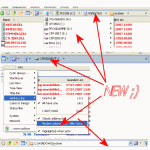
• 1. Folder-Shortcuts/Quick-Links or program starts with a relative path, much more useful, primarily for portable use of Q-Dir.
• 2. Address bar similar to the Vista address bar
• 3. New languages in Q-Dir: Korean and Dutch
• 4. Several small bugs and fixes
• Korean translation (12.02.2009)
• Thanks to 강민철
• bumosan.com
• Dutch translation (23.02.2009)
• Thanks to Ton Huisman
And ......
• Next week more ;)
New in version 3.49 // 21 January 2009
• 1.Small corrections in Q-Dir.
• 2.The Vista column problem fixed.
• 3.two new languages in Q-Dir Simplified Chinese and Russian.");
• Simplified ChineseThanks to: 'efree' 蒙碧勇 and dufei22' www.sylive.cn
• Russian:Thanks to: Vlad Emelyanov
New in version 3.49 // 12 January 2009
•
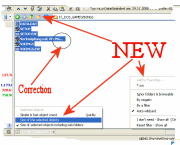
• # Optional colored highlighting of the active address bar.
• # Optional display of the directory size and directory content in the status bar.
• # File filters and filter marker can be saved as favorites.
• # Correction in calculation of the text block in the list view (...)!
• # Copy path(s) to clipboard and small fixes.
# And ......
New in version 3.47 // 2 January 2009
• 1. Keyboard shortcut [Ctrl] + [1-4] for the activation of Q-View 1-4
• 2. New languages in Q-Dir: Italian and French.
• 3. Auto Complete for file filtering, is now in the Q-Dir.ini.
• 4. Small fixes and optimizations.
Thank you:
• 28.12.2008 / Italian translation by Alex Faresin
• 29.12.2008 / French translation by Colok
• http://www.colok-traductions.com/
New in version 3.45 // 23 December 2008
• 1. Optional full row selection in the tree-view and automatically expand when you click.
• 2. New languages in Q-Dir Chinese and Polish.
• 3. New color filter option "#RO" for write-protected files.
• 4. Several small fixes and optimizations.
Thank you:
• 21.12.2008 / Traditional Chinese translation by Nelsonnelson.pixnet.net
• 20.12.2008 / Polish translation by Mizo mizomizo.wordpress.com
New in version 3.43 // 14 December 2008
• Corrections:
Tree View
• Popup Tree View
Drag&Drop
• Quick-Links
• Color import from file
• Addressbar select the item over [F4] key and [Enter] key!
• New R-Mouse click:
• Move selected to [Cut]
• Copy selected to [Paste]
New:
• changing background color and 11 color themes.
• Optional navigation click sound.
• Translations tool for Q-Dir (Beta).
• When reinstalling the directories for Favorites and Quick-Link's will be automatically created.
New in version 3.33 // 18 November 2008
• Bug: by program starts over Quick Links.
• If change in the parent folder marker of the sub-folder from which you came.
• Correction copy paste: Progress dialog in Vista SP1.
• F3 for the search on the directory structure.
• File filter always visible and optional auto-wildcard as: txt = *txt*
• Small beauty grindings.
New in version 3.32 // 9 November 2008
• Display of free space on USB/flash memory for stick friends.
• Bugs in Win-98/Win-ME, now goes again;).
• CTRL + F for viewing the Windows search like MS-Explorer.
• More tooltips for thetoolbar.
New in version 3.31 // 2 November 2008
• Optional focus via mouse wheel.
• Improving the preview for XP.
• Optional preview via MS-Media-Player for audio and video!
New in version 3.29 // 7 September 2008
• Small improvements and corrections in designe and some bugs kicks!
New in version 3.28 // 26 August 2008
• Optional display of the last favorite in the title bar.
• Some bugs trod and general optimization.
New in version 3.27 // 11 August 2008
• 1. Improvements and corrections: Address bar, Tree-view, menu bar, L-mouse double-click ... .
New in version 3.25 // 6 August 2008
• 1. Vista SP1 Search Fix [F3] and new [Alt + F3] selected item.
• 2. Tree-view switch problem fixed.
• 3. Tree-view in Vista in Vista look.
• 4. Correct updated when you connect and disconnect network drives.
• 5. The folder deletion is possible even if this is open.
• 6. With second click on [F2] will select only the name.
• 7. Couple corrections.
New in version 3.23 // 31 July 2008
• 1. Small improvements, optimization and beauty fixes.
New in version 3.22 // 24 July 2008
• 1. Win98: corrections in color filter and directory structure.
• 2. Vista: graphics bug terminated in the address bar.
• 3. New optional treeview-popup with drive bar: above the button Desk. .
New in version 3.20 // 19 July 2008
• 1. Small optimization and bugs
New in version 3.19 // 18 July 2008
• 1. Delete the Start.qdr at Q-Dir crash.
• 2. More space for data, address bar either 1x or 4x or no
• 3. No crash at various removable storage media!
• 4. Small optimization and bugs
New in version 3.17 // 4 July 2008
• 1. Optimization especially in the memory usage in prolonged use.
• 2. Treeview: adjustable auto expand drag over time.
• 3. Singel panel mode for small screens.
New in version 3.16 // 15 June 2008
• 1. Corrections in the launch window positioning of Q-Dir.
• 2. Some of Vista bugs trod.
• 3. Better Path interpretation in the address bar, and support the environment variables "%temp%, %appdate%, %AppData%,% ...."
New in version 3.15 // 7 June 2008
• 1. Corrections and improvements in the microscope.
• 2. Optional display of directory or name in the title bar.
• 3. View updated when enable/disable the file filter.
• 4. Better optics under flat-Design.
• 5. Renaming on Shell Context-Menu in the Tree-View.
• 6. Preview and ceneral optimization.
New in version 3.13 // 29 May 2008
• 1. Support for the mouse XButtons Previous and Next navigation.
• 2. Network access in the tree-view improved and accelerated.
• 3. Auto update problem in the tree-view for zip folders and network is fixed.
• 4 PDF preview is possible when Adobe Acrobat Reader >7.0 is installed.
• 5. Optimization stories.
New in version 3.11 // 25 May 2008
• 1. Driver name change in the tree view is possible, also 'UNDO' last rename command.
• 2. Auto update correction in the tree-view, improvement for List-View.
• 3. Start error message suppression: removable media or unreachable/deleted folders!
• 4. Shell menu display the full folder path in the status bar.
New in version 3.09 // 19 May 2008
• 1. Direct rename in the Tree-View is possible, also copy/paste/cut [Ctrl] + C V X.
• 2. Two views more 2 & 3 rotated.
• 3. Small size optimization!
New in version 3.07 // 27 April 2008
• 1. Speed-Optimizing in color filters for larger directories.
• 2. Optional activation of colors or bold font for the tree view's.
• 3. Font size corrections in the display (accwiz.exe).
New in version 3.05 // 20 April 2008
• 1. Corrections:Color filter,Tree-View Popup-Menus.
New in version 3.03 // 13 April 2008
• 1. File filters corrections.
• 2. Color filter correction .
• 3. Marking filter corrections.
• 4. Tree-view corrections.
• 5. The view-settings will be saved in the INI. For portable also everything else.
• 6. Q-Dir is 100% portable.
• 7. Optimization and fine-tuning;).
New in version 2.99 // 7 April 2008
• 1. English translation.
• 2. View transferor right mouse button on the Q-Icon.
• 3. Quick Links folder problem resolved
• 4. Portable Install corrections.
• 5. ALT + LEFT / RIGHT = Back / Forward navigation.
• 6. The marker filter can be used as file filter
• 7. Unicode version: support of Asian, Arabic, Hebrew, ... Writings.
• 8. Speed and other optimization;).
....
....
....
....
• 1.00 NOV 2006
Q-Dir Alpha
•
• »»»» Q-Dir Translators
• »»»» Back to Q-Dir
* Q-Dir the Quad Explorer for Microsoft's Windows 11, 10, ... Desktop and Server!
# Images+ # Info+ # Thanks+