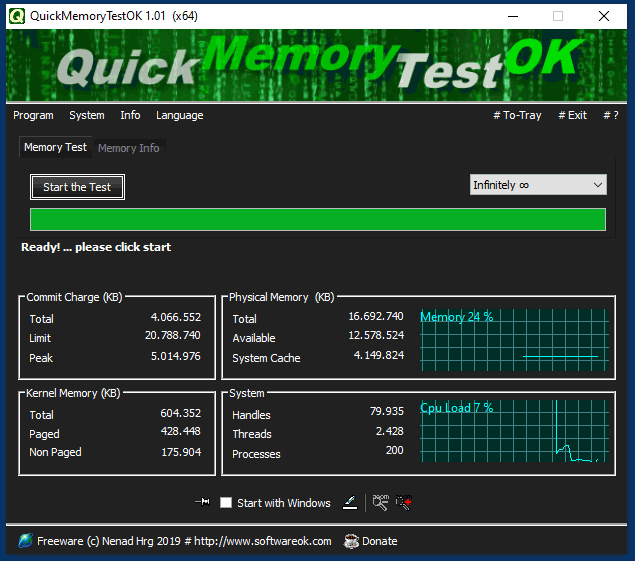
What is physical memory and how does its size vary?
Physical memory refers to the actual, physical storage of a computer system, which exists in the form of RAM (random access memory) and hard disk storage (such as HDDs or SSDs).
This memory is used for loading and executing programs and storing data.
Types of physical storage:
1. Random Access Memory (RAM):
- RAM is the volatile memory that is directly connected to the CPU and is used for quick access to running programs and processes. When a computer is turned on, it loads data from the hard disk into RAM because this memory is much faster. As soon as the computer is turned off, the data in RAM is lost.
- Size:
The size of RAM can vary from a few gigabytes (GB) in simple devices to several terabytes (TB) in high-end servers.
2. Hard Disk Drives (HDD/SSD):
- Hard disk drives (HDDs) and solid state drives (SSDs) are non-volatile memories that permanently store data even when the computer is turned off. SSDs are faster and more expensive than HDDs because they have no moving parts.
- Size:
The size of hard disk storage can also vary greatly, from a few hundred GB in laptops to several TB in desktop computers or external storage devices.
Variations in size:
- RAM:
- The size of RAM is determined by the needs of the system. Simple tasks (such as web browsing) require less RAM (e.g. 4-8 GB), while memory-intensive tasks such as video editing or virtualization (e.g. in professional environments) require 32 GB or more.
- For servers and workstations that handle many simultaneous processes and large amounts of data, RAM can be expanded to 1 TB or more.
- Hard Disk Storage:
- The size of hard disk storage depends on the amount and type of data that needs to be stored. Simple users may only need 256 GB to 1 TB, while professional users who store large amounts of videos, images or programs may need several TB of storage.
- External storage solutions such as NAS (Network Attached Storage) offer the ability to store several TB or even petabytes of data.
In summary, physical memory is the capacity of a computer system to store data and support computing processes. Its size varies considerably depending on the use case and technological requirements.
The concepts of paged and non-paged memory in the kernel are important components of an operating systems memory management system. Extension to: ►► RAM
The short answer: A RAM test makes sense whenever your PC shows unexplained symptoms or you have installed new hardware. Specifically: after blue screens
The short answer: A basic test with QuickMemoryTestOK typically takes about 90 to 110 seconds with 16 GB of RAM. The exact duration depends on the RAM size,
Yes, QuickMemoryTestOK provides a Pause/Resume button that lets you stop the running RAM test at any time. This is not a workaround but a deliberately built-in
QuickMemoryTestOK and Windows Memory Diagnostic `mdsched.exe` follow fundamentally different approaches. QuickMemoryTestOK is a portable Windows program
The short answer: Yes, QuickMemoryTestOK can detect errors in overclocked RAM XMP/EXPO – but with an important limitation: it is a fast screening test,
This website does not store personal data. However, third-party providers are used to display ads, which are managed by Google and comply with the IAB Transparency and Consent Framework (IAB-TCF). The CMP ID is 300 and can be individually customized at the bottom of the page. more Infos & Privacy Policy ....